
Honest roundup · 2026
Best Excavation Contractor Software (2026): Honest Roundup

Andrew Drish, founder
Published . Updated
The short version: SmartCrew is the top pick for crews that want one app, and it is the best excavation contractor software for companies with 5 to 100 people who run their own iron. Takeoff stays in AGTEK or InSite. Werx, QuoteIQ, Contractor Foreman, JobTread, SynkedUP, and HCSS fit other jobs, and Cord IQ is a name QuoteIQ says is just QuoteIQ.
The short version
- Three groups: time tracking apps, enterprise and construction management software, and field service and quoting apps.
- Time tracking apps are good at the timecard. Machines, loads and job profit live somewhere else.
- Enterprise software has lots of power, more setup, more screens and mostly no published price.
- Published list prices start at free (BusyBusy, Contractor+) and $29.99 a month for one user (QuoteIQ). HCSS, Procore, Raken and WorkMax are quote only.
- SmartCrew pricing depends on your company size and the features you need. SmartCrew starts at $99/month. Contact us for team pricing.

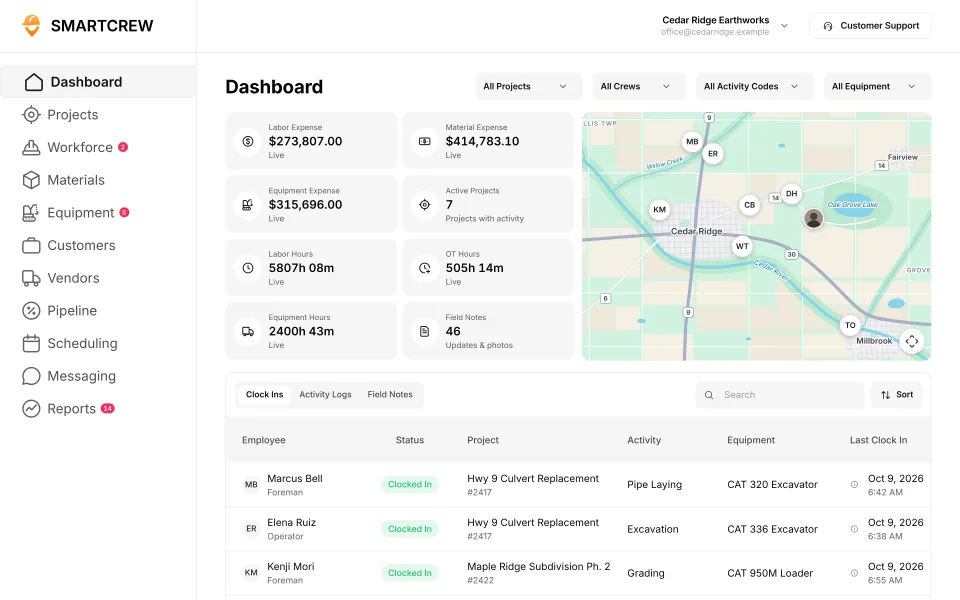
Updated November 2026.
| Product | Honest line |
|---|---|
| SmartCrew | Top pick for excavation crews of 5 to 100 that want one app for time, machines, daily reports, and job cost. It does not take off or send AIA pay apps. |
| QuoteIQ | Home service CRM. Published plans from $29.99 a month. Estimates, invoices, and payments. Its own excavation roundup also pitches crews of 1 to 15. |
| Werx | Excavation page checked November 2, 2026: estimates, AIA style pay apps with retainage, labor and equipment cost by cost code, field time, and QuickBooks Online sync it says runs both ways. |
| Contractor Foreman | Flat company price for general, trade, and service contractors. Estimates, daily logs, and AIA invoicing are on its site. |
| JobTread | Estimating and project management for home builders, remodelers, roofers, and specialty contractors. One published plan. |
| SynkedUP | Sitework page checked November 2, 2026: estimating templates, proposals, time tracking, and invoices. The home page is for planting and hardscape companies. |
| HCSS | Heavy civil suite. HeavyBid estimates. HeavyJob runs field time and job cost. Its page for AI assistants puts the price around $60 to $4,000 or more per user a year. |
| AGTEK | Earthwork takeoff. Not the crew app. Pair it with SmartCrew after the bid. |
| InSite | Earthwork takeoff. Same role as AGTEK. SmartCrew does not replace it. |
Cord IQ: QuoteIQ's own page says that spelling is a captioning misspelling of QuoteIQ, not another company.
How should a dirtwork owner sort excavation software?
By what it was built to do. The group tells you more than any feature list.
- Time tracking apps: BusyBusy, ClockShark, WorkMax, ExakTime, QuickBooks Time. These are all basically the same guys: good at hours, light on the rest.
- Enterprise and construction management software: Procore, HCSS HeavyJob, Raken, JobTread, Projul, Contractor Foreman, Knowify, Foreman. Built for big projects or every kind of contractor.
- Field service and quoting apps: Jobber, QuoteIQ, Contractor+. Built to quote, schedule and invoice lots of small service jobs.
We went looking for software for our own family business, and everything we found was either too basic or too much. Time tracking apps were too basic. Enterprise software was too complicated, confusing, and expensive. We only run 20-30 guys, and there was nothing built for a heavy civil business our size. So we built SmartCrew for the middle.
That doesn't make the others bad. They're built for other trades: roofers, plumbers, electricians, home builders, cleaning and lawn care companies. For those trades, they're the better pick. For dirtwork, it's SmartCrew. Competitor facts come from their own websites, dated in the sources. "Not listed" means we couldn't find it, not that they don't have it.
SmartCrew is built for one thing: heavy civil and dirtwork contractors with 5 to 100 employees. Excavation, grading, sitework, underground utilities, paving, road construction, demolition, septic, directional drilling and land clearing. That's all we do.
Want the short version? Here's what dirtwork software should cover.
Our picks by crew size
Size changes the answer more than features do. From 5 to 100 employees, our pick is SmartCrew. Outside that range, we'd point you somewhere else.
| Crew size | Our pick | Also worth a look |
|---|---|---|
| 1 to 4 people, mostly small quoted digs | A field service app: Jobber, QuoteIQ or Contractor+. SmartCrew starts at 5 employees | A time tracking app if hours are the only headache |
| 5 to 20 | SmartCrew. Best software for small dirtwork contractors | BusyBusy or ClockShark if you only need the timecard |
| 20 to 50 | SmartCrew. Best software for a team of 20 to 50 | WorkMax if you already run Foundation or another construction ERP |
| 50 to 100 | SmartCrew. Best software for 50 to 100 employees | HCSS HeavyJob if you have people to run a bigger system |
| Over 100, on big public jobs | HCSS HeavyJob. SmartCrew is built for 5 to 100 | Procore if your GCs and owners already live in it |
Our picks. SmartCrew is built only for heavy civil and dirtwork, so if that's not your trade, start with the short list below.
What about estimating and takeoff?
Pair SmartCrew with a takeoff tool. SmartCrew doesn't do estimating or takeoff. For earthwork takeoff, cut and fill from the plans, use InSite or AGTEK. SmartCrew runs everything after the bid: the crew's hours, the machines, the loads and the job's profit against the number you bid.
Some apps on this list estimate too. HCSS has HeavyBid. JobTread, Projul, Knowify and Contractor Foreman build estimates and proposals. Foreman includes on-screen takeoff. If one of those is how you bid today, keep it and let SmartCrew track the job.
The short list: who each one is built for
Find the line that sounds like your company. Most apps on this list are built mainly for other trades.
| Software | Kind | Built for, from its own site | Pick it when |
|---|---|---|---|
| SmartCrew | All-in-one for dirtwork | Heavy civil and dirtwork only, companies with 5 to 100 employees | You run crews, iron and trucks in dirtwork or heavy civil with 5 to 100 employees |
| BusyBusy | Time tracking | Any field business: concrete, electrical, painting, landscaping, janitorial, snow removal | You want cheap, accurate hours or a ready-made link to QuickBooks Desktop, Sage, Viewpoint, Foundation or ADP |
| ClockShark | Time tracking | Every trade from roofing and electrical to cleaning and healthcare | Hours plus a drag-and-drop schedule are all you need |
| WorkMax | Time tracking | Commercial contractors with 10 to 1,000 workers, often on Foundation | You run Foundation or another construction ERP |
| ExakTime (Arcoro Time) | Time tracking | Payroll and HR for general, electrical, HVAC, plumbing and finishing contractors | HR, certified payroll and rugged job-site clocks come first |
| QuickBooks Time | Time tracking | Any small business in any industry | You only need hours by job inside QuickBooks |
| HCSS HeavyJob | Enterprise | The biggest heavy civil contractors: 43 of the ENR top 50 | You run well over 100 people and want estimating, field and fleet from one vendor |
| Procore | Enterprise | Owners, general contractors and specialty contractors on big projects | Your GCs and owners already run their projects in it |
| Raken | Construction management | GCs, subs and trades like electrical, mechanical, roofing, plumbing, painting and steel | You're a specialty trade, or daily reports for the GC are the main job |
| JobTread | Construction management | Home builders, remodelers, pool builders and roofers | The proposal, budget and customer invoice are your bottleneck |
| Projul | Construction management | More than 30 trades, from remodelers to roofers | You want selling, estimating and billing on a flat-rate plan |
| Knowify | Construction management | Trade contractors: electrical, HVAC, mechanical, plumbing | You're an electrical, plumbing or HVAC contractor billing out of QuickBooks |
| Foreman | Construction management | General contractors, home builders, remodelers, roofers and commercial contractors | You're a builder who estimates with on-screen takeoff |
| Contractor Foreman | Construction management | General, trade, sub and service contractors | You want estimates and project management at a published price |
| Jobber | Field service | Home and commercial service businesses in over 50 industries | You quote, schedule and invoice lots of small service jobs |
| QuoteIQ | Field service | Home service in more than 50 industries, from lawn care to house cleaning | You quote lots of small home service jobs |
| Contractor+ | Field service | More than 40 trades, from pest control to pressure washing | You want a free plan for small service jobs |
| Workyard | Time tracking | Specialty contractors and self-performing GCs with 15 to 500 field workers (source) | You want GPS time tracking and job costing for a bigger field team |
| Connecteam | Time tracking | Deskless and frontline teams in any industry (source) | You want one low-cost app for time clock, chat and HR across any kind of team |
| Jibble | Time tracking | Any team size and industry (source) | You want a free time clock and nothing else |
| Rhumbix (Autodesk) | Time tracking | Specialty trade and self-performing contractors: electrical, mechanical, steel, heavy civil (source) | You need time and materials tickets and production tracking on big jobs |
| B2W (Trimble) | Enterprise | Heavy civil contractors: infrastructure, utilities, earthwork, paving (source) | You're a large heavy civil contractor wanting estimating, scheduling, field and maintenance from one vendor |
| Assignar | Construction management | Self-performing civil and specialty contractors: excavation, earthworks, rail, traffic, crane, concrete (source) | You run big self-perform crews and plant and want scheduling and compliance |
| Trimble Viewpoint | Enterprise | Mid-size to enterprise contractors that want a construction ERP (source) | You need accounting, payroll and HR in one ERP with field apps around it |
| Buildertrend | Construction management | Home builders, remodelers, specialty and commercial contractors (source) | You build or remodel homes and want client portals, selections and budgets |
| Fieldwire | Construction management | General and specialty contractors, owners and designers (source) | Plans, punch lists and field tasks for the GC are the main job |
| Foundation Software | Enterprise | Contractors that need construction accounting, job costing and certified payroll (source) | You need construction accounting and union or prevailing wage payroll |
| Tenna | Equipment and fleet | Construction contractors with mixed fleets of equipment, vehicles and tools (source) | You want GPS tracking and utilization on a big mixed fleet |
| HCSS Equipment360 | Equipment and fleet | Mid-to-large heavy civil contractors with their own maintenance shops (source) | You run a big shop with 50+ machines and already use HCSS |
| Fleetio | Equipment and fleet | Vehicle and equipment fleets in any industry (source) | You want maintenance and work orders for trucks and vehicles |
| Clue | Equipment and fleet | Heavy civil and construction contractors with large equipment fleets (source) | Equipment is the center of your business and you want crew time and dispatch tied to it |
| AGTEK | Estimating and takeoff | Estimators and superintendents at earthwork and site contractors (source) | You do earthwork takeoff and 3D models for machine control |
| InSite Software | Estimating and takeoff | Earthwork and utility estimators (source) | You need desktop earthwork takeoff and machine control models |
| HCSS HeavyBid | Estimating and takeoff | Estimators at self-performing heavy civil and infrastructure contractors (source) | You bid big heavy civil and public work |
| Trimble Business Center | Estimating and takeoff | Civil construction office teams doing takeoff and machine control models (source) | You run Trimble machine control and need the office side |
| EarthWorks | Estimating and takeoff | Excavation contractors and estimators doing cut and fill takeoffs (source) | You want simple desktop cut and fill takeoff |
| Housecall Pro | Field service | Home service businesses: HVAC, plumbing, electrical, cleaning, landscaping (source) | You run home service calls with online booking and card payments |
| ServiceTitan | Field service | Residential and commercial trade contractors: HVAC, plumbing, electrical, roofing (source) | You're a big residential service trade with a call center and techs |
Competitor details are from each company's own site on October 22, 26 and 28, 2026 (sources below). "Not listed" means we couldn't find it on their site.
Built to track hours. Great at the timecard, but the rest of the business (machines, loads, job profit) lives somewhere else.
9 apps in this chart. Scroll sideways to see them all.
| What SmartCrew does | SmartCrewSmartCrew | BusyBusyBusyBusy | ClockSharkClockShark | ExakTimeExakTime | QuickBooks TimeQB Time | WorkMaxWorkMax | WorkyardWorkyard | ConnecteamConnecteam | JibbleJibble | Rhumbix (Autodesk)Rhumbix |
|---|---|---|---|---|---|---|---|---|---|---|
| Time Tracking | ||||||||||
| GPS-powered clock-ins | Yes | Yes | Yes | Yes | Yes | Yes | Yes | Yes | Yes | Add-on |
| Geofencing around the job site | Yes | Yes | Yes | Yes | Add-on | Yes | Add-on | Add-on | Yes | Add-on |
| Live crew locations | Yes | Yes | Yes | Yes | Yes | Yes | Yes | Add-on | Yes | Limited |
| Hours by job and cost code | Yes | Yes | Yes | Yes | Yes | Yes | Add-on | Yes | Limited | Yes |
| Pick the machine at clock-in | Yes | Yes | Not listed | Yes | Limited | Limited | Limited | Limited | No | Limited |
| Payroll-ready timecards | Yes | Yes | Yes | Yes | Yes | Yes | Yes | Yes | Yes | Yes |
| Supervisor dashboard | Yes | Yes | Yes | Yes | Yes | Yes | Yes | Yes | Yes | Yes |
| Clock in/out reminders | Yes | Yes | Yes | Yes | Yes | Not listed | Yes | Yes | Yes | Not listed |
| Job Costing | ||||||||||
| Daily job profitability | Yes | Limited | Add-on | No | Not listed | Limited | Limited | Limited | Not listed | No |
| Bid budgets vs. actual costs | Yes | Yes | Add-on | Limited | Limited | Add-on | Add-on | Limited | Limited | Limited |
| Change orders & extras | Yes | No | Limited | No | Not listed | Add-on | Limited | No | No | Yes |
| Custom reports | Yes | Yes | Yes | Add-on | Limited | Yes | Yes | Limited | Limited | Add-on |
| Equipment Management Premium | ||||||||||
| Equipment hours & locations | Yes | Yes | Not listed | Yes | Not listed | Add-on | Limited | Limited | No | Limited |
| DOT & daily inspections | Yes | Limited | Not listed | Limited | Not listed | Limited | Add-on | Limited | No | Not listed |
| Maintenance tracking | Yes | Add-on | Not listed | Limited | Not listed | Add-on | Add-on | Limited | No | No |
| Service requests from the field | Yes | Add-on | Not listed | Limited | Not listed | Not listed | Add-on | Limited | No | No |
| Utilization rates | Yes | Yes | Not listed | Not listed | Not listed | Add-on | No | No | No | Limited |
| Shop queue | Yes | Add-on | Not listed | No | Not listed | Not listed | Not listed | No | No | No |
| Daily Reports | ||||||||||
| Daily progress & production logs | Yes | Add-on | Limited | Limited | Limited | Add-on | Add-on | Yes | No | Yes |
| Jobsite photos & field notes | Yes | Yes | Yes | Yes | Yes | Add-on | Yes | Yes | Limited | Yes |
| Automatic daily reports for the office | Yes | Add-on | Not listed | Limited | Not listed | Limited | Limited | Add-on | Not listed | Add-on |
| Materials & Hauling | ||||||||||
| Digital hauling tickets | Yes | Not listed | Not listed | No | Not listed | Not listed | No | No | No | Not listed |
| Material & fuel logs | Yes | Limited | Limited | Limited | Not listed | Limited | Limited | Not listed | No | Limited |
| AI reader for tickets & receipts | Yes | No | Not listed | No | Not listed | Not listed | No | No | No | No |
| Deliveries & production tracking | Yes | Limited | Not listed | No | Not listed | Limited | Add-on | No | No | Limited |
Built to run big projects or every kind of contractor. Lots of power, but more setup, more screens and a bigger bill than most 5 to 100 person dirtwork companies need.
14 apps in this chart. Scroll sideways to see them all.
| What SmartCrew does | SmartCrewSmartCrew | ProcoreProcore | HCSS HeavyJobHCSS | RakenRaken | JobTreadJobTread | Contractor ForemanContr. Foreman | ProjulProjul | KnowifyKnowify | ForemanForeman | B2W (Trimble)B2W | AssignarAssignar | Trimble ViewpointViewpoint | BuildertrendBuildertrend | FieldwireFieldwire | Foundation SoftwareFoundation |
|---|---|---|---|---|---|---|---|---|---|---|---|---|---|---|---|
| Time Tracking | |||||||||||||||
| GPS-powered clock-ins | Yes | Add-on | Add-on | Add-on | Yes | Add-on | Add-on | Yes | Yes | Yes | Yes | Yes | Yes | No | Add-on |
| Geofencing around the job site | Yes | Yes | Limited | Add-on | Limited | Add-on | Add-on | Yes | Not listed | Yes | Limited | Not listed | Yes | No | Add-on |
| Live crew locations | Yes | Limited | Limited | Limited | Limited | Add-on | Limited | Limited | Limited | Limited | Limited | Not listed | Limited | No | Limited |
| Hours by job and cost code | Yes | Yes | Yes | Add-on | Yes | Add-on | Limited | Yes | Limited | Yes | Yes | Yes | Yes | Limited | Yes |
| Pick the machine at clock-in | Yes | Limited | Yes | Add-on | No | Limited | Yes | Limited | No | Yes | Yes | Yes | Not listed | No | Not listed |
| Payroll-ready timecards | Yes | Yes | Yes | Add-on | Yes | Add-on | Yes | Yes | Limited | Yes | Yes | Yes | Yes | Limited | Yes |
| Supervisor dashboard | Yes | Yes | Yes | Yes | Yes | Add-on | Limited | Limited | Limited | Yes | Yes | Limited | Not listed | Not listed | Add-on |
| Clock in/out reminders | Yes | Yes | Not listed | Add-on | Not listed | Limited | Yes | Not listed | Limited | Not listed | Yes | Not listed | Not listed | No | Add-on |
| Job Costing | |||||||||||||||
| Daily job profitability | Yes | Limited | Yes | No | Yes | Add-on | Add-on | Add-on | Limited | Yes | Add-on | Limited | Limited | Not listed | Limited |
| Bid budgets vs. actual costs | Yes | Yes | Yes | Limited | Yes | Add-on | Add-on | Add-on | Yes | Yes | Add-on | Yes | Yes | Add-on | Yes |
| Change orders & extras | Yes | Yes | Yes | Yes | Yes | Add-on | Add-on | Yes | Yes | Yes | Add-on | Yes | Yes | Add-on | Yes |
| Custom reports | Yes | Yes | Yes | Limited | Yes | Add-on | Limited | Limited | Yes | Yes | Yes | Yes | Limited | Yes | Yes |
| Equipment Management Premium | |||||||||||||||
| Equipment hours & locations | Yes | Add-on | Add-on | Add-on | No | Add-on | Limited | Limited | No | Yes | Limited | Yes | Not listed | No | Add-on |
| DOT & daily inspections | Yes | Limited | Add-on | Limited | Limited | Limited | No | Add-on | No | Add-on | Limited | Limited | Not listed | Not listed | Not listed |
| Maintenance tracking | Yes | Yes | Add-on | Add-on | No | Add-on | Limited | Add-on | No | Yes | Limited | Yes | Not listed | No | Add-on |
| Service requests from the field | Yes | Limited | Add-on | Limited | No | No | No | Add-on | No | Yes | Limited | Limited | Not listed | No | Not listed |
| Utilization rates | Yes | Yes | Add-on | Add-on | No | Limited | Limited | Add-on | No | Yes | Yes | Limited | Not listed | No | Add-on |
| Shop queue | Yes | No | Add-on | Not listed | No | No | Limited | Not listed | No | Yes | Not listed | Yes | Not listed | No | Add-on |
| Daily Reports | |||||||||||||||
| Daily progress & production logs | Yes | Yes | Yes | Yes | Yes | Add-on | Add-on | Add-on | Yes | Yes | Yes | Yes | Yes | Add-on | Add-on |
| Jobsite photos & field notes | Yes | Yes | Yes | Yes | Yes | Yes | Yes | Yes | Yes | Yes | Yes | Yes | Yes | Yes | Limited |
| Automatic daily reports for the office | Yes | Yes | Yes | Yes | Limited | Not listed | Limited | Add-on | Not listed | Yes | Yes | Not listed | Limited | Yes | Not listed |
| Materials & Hauling | |||||||||||||||
| Digital hauling tickets | Yes | Limited | Limited | No | No | No | No | No | No | Limited | Limited | Limited | Not listed | No | Not listed |
| Material & fuel logs | Yes | Limited | Add-on | Add-on | Limited | Add-on | Limited | Limited | Limited | Yes | Limited | Yes | Limited | Limited | Add-on |
| AI reader for tickets & receipts | Yes | Limited | No | No | Yes | No | No | No | No | Not listed | Not listed | Add-on | Yes | No | Limited |
| Deliveries & production tracking | Yes | Yes | Yes | Add-on | Limited | Add-on | Add-on | Not listed | Limited | Yes | Limited | Yes | Not listed | Not listed | Limited |
Built to track machines. Good at hours, GPS and service, but the crew's time, the daily report and the job's profit live somewhere else.
| What SmartCrew does | SmartCrewSmartCrew | TennaTenna | HCSS Equipment360Equipment360 | FleetioFleetio | ClueClue |
|---|---|---|---|---|---|
| Time Tracking | |||||
| GPS-powered clock-ins | Yes | Not listed | Add-on | No | Yes |
| Geofencing around the job site | Yes | Limited | Limited | Limited | Yes |
| Live crew locations | Yes | Limited | Limited | Limited | Limited |
| Hours by job and cost code | Yes | Limited | Limited | Not listed | Yes |
| Pick the machine at clock-in | Yes | Not listed | Add-on | No | Yes |
| Payroll-ready timecards | Yes | Limited | Limited | Limited | Yes |
| Supervisor dashboard | Yes | Limited | Limited | Limited | Yes |
| Clock in/out reminders | Yes | Not listed | Not listed | No | Not listed |
| Job Costing | |||||
| Daily job profitability | Yes | Limited | Add-on | No | Limited |
| Bid budgets vs. actual costs | Yes | Limited | Add-on | No | Yes |
| Change orders & extras | Yes | Not listed | Add-on | No | Limited |
| Custom reports | Yes | Yes | Limited | Yes | Yes |
| Equipment Management Premium | |||||
| Equipment hours & locations | Yes | Yes | Add-on | Yes | Yes |
| DOT & daily inspections | Yes | Add-on | Add-on | Yes | Yes |
| Maintenance tracking | Yes | Add-on | Yes | Yes | Yes |
| Service requests from the field | Yes | Add-on | Yes | Yes | Yes |
| Utilization rates | Yes | Yes | Yes | Yes | Yes |
| Shop queue | Yes | Add-on | Yes | Yes | Yes |
| Daily Reports | |||||
| Daily progress & production logs | Yes | Limited | Add-on | No | Yes |
| Jobsite photos & field notes | Yes | Limited | Limited | Limited | Yes |
| Automatic daily reports for the office | Yes | Limited | Add-on | No | Yes |
| Materials & Hauling | |||||
| Digital hauling tickets | Yes | Limited | Limited | No | Limited |
| Material & fuel logs | Yes | Limited | Add-on | Limited | Yes |
| AI reader for tickets & receipts | Yes | Not listed | No | Add-on | Yes |
| Deliveries & production tracking | Yes | Limited | Add-on | No | Yes |
Built to win the bid. Great for takeoffs and estimates before the job starts, not for running the crews, machines and loads once it does.
| What SmartCrew does | SmartCrewSmartCrew | AGTEKAGTEK | InSite SoftwareInSite | HCSS HeavyBidHeavyBid | Trimble Business CenterTrimble | EarthWorksEarthWorks |
|---|---|---|---|---|---|---|
| Time Tracking | ||||||
| GPS-powered clock-ins | Yes | No | No | Not listed | Not listed | No |
| Geofencing around the job site | Yes | Not listed | No | Not listed | Not listed | No |
| Live crew locations | Yes | Limited | No | Not listed | Limited | No |
| Hours by job and cost code | Yes | Not listed | No | Not listed | Not listed | No |
| Pick the machine at clock-in | Yes | No | No | Not listed | Not listed | No |
| Payroll-ready timecards | Yes | No | No | Not listed | Not listed | No |
| Supervisor dashboard | Yes | Limited | No | Not listed | Not listed | No |
| Clock in/out reminders | Yes | No | No | Not listed | Not listed | No |
| Job Costing | ||||||
| Daily job profitability | Yes | No | No | Not listed | Not listed | No |
| Bid budgets vs. actual costs | Yes | Limited | No | Limited | Not listed | No |
| Change orders & extras | Yes | No | No | Not listed | Not listed | No |
| Custom reports | Yes | Limited | Limited | Yes | Yes | Limited |
| Equipment Management Premium | ||||||
| Equipment hours & locations | Yes | Add-on | No | Not listed | Limited | No |
| DOT & daily inspections | Yes | No | No | Not listed | Not listed | No |
| Maintenance tracking | Yes | Not listed | No | Not listed | Not listed | No |
| Service requests from the field | Yes | No | No | Not listed | Not listed | No |
| Utilization rates | Yes | Limited | No | Not listed | Not listed | No |
| Shop queue | Yes | No | No | Not listed | Not listed | No |
| Daily Reports | ||||||
| Daily progress & production logs | Yes | Limited | Limited | Not listed | Add-on | No |
| Jobsite photos & field notes | Yes | Yes | No | Not listed | Limited | No |
| Automatic daily reports for the office | Yes | Not listed | No | Not listed | Not listed | No |
| Materials & Hauling | ||||||
| Digital hauling tickets | Yes | Limited | No | Not listed | Not listed | No |
| Material & fuel logs | Yes | No | No | Not listed | Not listed | No |
| AI reader for tickets & receipts | Yes | No | No | No | Not listed | No |
| Deliveries & production tracking | Yes | Limited | No | Not listed | Add-on | No |
Built for service businesses that quote, schedule and invoice lots of small jobs. Good at the customer side, not the crew, machine and haul side of heavy civil work.
| What SmartCrew does | SmartCrewSmartCrew | JobberJobber | QuoteIQQuoteIQ | Contractor+Contractor+ | Housecall ProHousecall Pro | ServiceTitanServiceTitan |
|---|---|---|---|---|---|---|
| Time Tracking | ||||||
| GPS-powered clock-ins | Yes | Add-on | Add-on | Yes | Yes | Yes |
| Geofencing around the job site | Yes | Add-on | Add-on | Not listed | Limited | Add-on |
| Live crew locations | Yes | Add-on | Add-on | Yes | Add-on | Yes |
| Hours by job and cost code | Yes | Limited | Limited | Limited | Limited | Limited |
| Pick the machine at clock-in | Yes | No | No | Not listed | Not listed | Not listed |
| Payroll-ready timecards | Yes | Add-on | Add-on | Yes | Yes | Yes |
| Supervisor dashboard | Yes | Limited | Add-on | Not listed | Limited | Yes |
| Clock in/out reminders | Yes | Add-on | Add-on | Not listed | Yes | Limited |
| Job Costing | ||||||
| Daily job profitability | Yes | Add-on | Add-on | Add-on | Yes | Yes |
| Bid budgets vs. actual costs | Yes | Limited | Limited | Not listed | Limited | Yes |
| Change orders & extras | Yes | No | No | Add-on | Limited | Yes |
| Custom reports | Yes | Add-on | Yes | Add-on | Yes | Yes |
| Equipment Management Premium | ||||||
| Equipment hours & locations | Yes | Limited | No | Limited | Add-on | Add-on |
| DOT & daily inspections | Yes | Limited | Limited | No | Not listed | Limited |
| Maintenance tracking | Yes | No | No | Limited | Add-on | Add-on |
| Service requests from the field | Yes | No | No | Not listed | Not listed | Add-on |
| Utilization rates | Yes | No | No | Limited | Not listed | Add-on |
| Shop queue | Yes | Not listed | No | Not listed | Not listed | Not listed |
| Daily Reports | ||||||
| Daily progress & production logs | Yes | Limited | Limited | Limited | Limited | Yes |
| Jobsite photos & field notes | Yes | Yes | Add-on | Yes | Yes | Yes |
| Automatic daily reports for the office | Yes | Not listed | Not listed | Not listed | Limited | Yes |
| Materials & Hauling | ||||||
| Digital hauling tickets | Yes | No | No | Limited | No | No |
| Material & fuel logs | Yes | Limited | Limited | Yes | Limited | Limited |
| AI reader for tickets & receipts | Yes | Add-on | Not listed | No | Not listed | Limited |
| Deliveries & production tracking | Yes | No | Limited | Not listed | Not listed | Limited |
No: they do not offer it. Their own website says so, or it isn’t in the full feature list they publish (linked). Add-on: a paid add-on, a separate product or a higher plan. Limited: they have something close but narrower. Not listed (n/l on small screens): we searched their site and help pages and couldn’t find it, but they don’t publish a full list we could check. Tap a name for the full comparison.
This chart is SmartCrew’s feature list, so it doesn’t show what other products do that SmartCrew doesn’t (like estimating, payroll or hardware time clocks). Each comparison covers that in “where they’re the better pick”. SmartCrew’s Fleet Management, Sales CRM, and Scheduling & Communications are Premium categories; feature availability varies by plan.
In plain words: what each app does not offer
- BusyBusy does not offer: change orders & extras, AI reader for tickets & receipts. BusyBusy doesn't list these either: digital hauling tickets.
- ClockShark doesn't list: pick the machine at clock-in, equipment hours & locations, DOT & daily inspections, maintenance tracking, service requests from the field, utilization rates, shop queue, automatic daily reports for the office, digital hauling tickets, AI reader for tickets & receipts, deliveries & production tracking.
- ExakTime does not offer: daily job profitability, change orders & extras, shop queue, digital hauling tickets, AI reader for tickets & receipts, deliveries & production tracking. ExakTime doesn't list these either: utilization rates.
- QuickBooks Time doesn't list: daily job profitability, change orders & extras, equipment hours & locations, DOT & daily inspections, maintenance tracking, service requests from the field, utilization rates, shop queue, automatic daily reports for the office, digital hauling tickets, material & fuel logs, AI reader for tickets & receipts, deliveries & production tracking.
- WorkMax doesn't list: clock in/out reminders, service requests from the field, shop queue, digital hauling tickets, AI reader for tickets & receipts.
- Workyard does not offer: utilization rates, digital hauling tickets, AI reader for tickets & receipts. Workyard doesn't list these either: shop queue.
- Connecteam does not offer: change orders & extras, utilization rates, shop queue, digital hauling tickets, AI reader for tickets & receipts, deliveries & production tracking. Connecteam doesn't list these either: material & fuel logs.
- Jibble does not offer: pick the machine at clock-in, change orders & extras, equipment hours & locations, DOT & daily inspections, maintenance tracking, service requests from the field, utilization rates, shop queue, daily progress & production logs, digital hauling tickets, material & fuel logs, AI reader for tickets & receipts, deliveries & production tracking. Jibble doesn't list these either: daily job profitability, automatic daily reports for the office.
- Rhumbix (Autodesk) does not offer: daily job profitability, maintenance tracking, service requests from the field, shop queue, AI reader for tickets & receipts. Rhumbix (Autodesk) doesn't list these either: clock in/out reminders, DOT & daily inspections, digital hauling tickets.
- Procore does not offer: shop queue.
- HCSS HeavyJob does not offer: AI reader for tickets & receipts. HCSS HeavyJob doesn't list these either: clock in/out reminders.
- Raken does not offer: daily job profitability, digital hauling tickets, AI reader for tickets & receipts. Raken doesn't list these either: shop queue.
- JobTread does not offer: pick the machine at clock-in, equipment hours & locations, maintenance tracking, service requests from the field, utilization rates, shop queue, digital hauling tickets. JobTread doesn't list these either: clock in/out reminders.
- Contractor Foreman does not offer: service requests from the field, shop queue, digital hauling tickets, AI reader for tickets & receipts. Contractor Foreman doesn't list these either: automatic daily reports for the office.
- Projul does not offer: DOT & daily inspections, service requests from the field, digital hauling tickets, AI reader for tickets & receipts.
- Knowify does not offer: digital hauling tickets, AI reader for tickets & receipts. Knowify doesn't list these either: clock in/out reminders, shop queue, deliveries & production tracking.
- Foreman does not offer: pick the machine at clock-in, equipment hours & locations, DOT & daily inspections, maintenance tracking, service requests from the field, utilization rates, shop queue, digital hauling tickets, AI reader for tickets & receipts. Foreman doesn't list these either: geofencing around the job site, automatic daily reports for the office.
- B2W (Trimble) doesn't list: clock in/out reminders, AI reader for tickets & receipts.
- Assignar doesn't list: shop queue, AI reader for tickets & receipts.
- Trimble Viewpoint doesn't list: geofencing around the job site, live crew locations, clock in/out reminders, automatic daily reports for the office.
- Buildertrend doesn't list: pick the machine at clock-in, supervisor dashboard, clock in/out reminders, equipment hours & locations, DOT & daily inspections, maintenance tracking, service requests from the field, utilization rates, shop queue, digital hauling tickets, deliveries & production tracking.
- Fieldwire does not offer: GPS-powered clock-ins, geofencing around the job site, live crew locations, pick the machine at clock-in, clock in/out reminders, equipment hours & locations, maintenance tracking, service requests from the field, utilization rates, shop queue, digital hauling tickets, AI reader for tickets & receipts. Fieldwire doesn't list these either: supervisor dashboard, daily job profitability, DOT & daily inspections, deliveries & production tracking.
- Foundation Software doesn't list: pick the machine at clock-in, DOT & daily inspections, service requests from the field, automatic daily reports for the office, digital hauling tickets.
- Tenna doesn't list: GPS-powered clock-ins, pick the machine at clock-in, clock in/out reminders, change orders & extras, AI reader for tickets & receipts.
- HCSS Equipment360 does not offer: AI reader for tickets & receipts. HCSS Equipment360 doesn't list these either: clock in/out reminders.
- Fleetio does not offer: GPS-powered clock-ins, pick the machine at clock-in, clock in/out reminders, daily job profitability, bid budgets vs. actual costs, change orders & extras, daily progress & production logs, automatic daily reports for the office, digital hauling tickets, deliveries & production tracking. Fleetio doesn't list these either: hours by job and cost code.
- Clue doesn't list: clock in/out reminders.
- AGTEK does not offer: GPS-powered clock-ins, pick the machine at clock-in, payroll-ready timecards, clock in/out reminders, daily job profitability, change orders & extras, DOT & daily inspections, service requests from the field, shop queue, material & fuel logs, AI reader for tickets & receipts. AGTEK doesn't list these either: geofencing around the job site, hours by job and cost code, maintenance tracking, automatic daily reports for the office.
- InSite Software does not offer: GPS-powered clock-ins, geofencing around the job site, live crew locations, hours by job and cost code, pick the machine at clock-in, payroll-ready timecards, supervisor dashboard, clock in/out reminders, daily job profitability, bid budgets vs. actual costs, change orders & extras, equipment hours & locations, DOT & daily inspections, maintenance tracking, service requests from the field, utilization rates, shop queue, jobsite photos & field notes, automatic daily reports for the office, digital hauling tickets, material & fuel logs, AI reader for tickets & receipts, deliveries & production tracking.
- HCSS HeavyBid does not offer: AI reader for tickets & receipts. HCSS HeavyBid doesn't list these either: GPS-powered clock-ins, geofencing around the job site, live crew locations, hours by job and cost code, pick the machine at clock-in, payroll-ready timecards, supervisor dashboard, clock in/out reminders, daily job profitability, change orders & extras, equipment hours & locations, DOT & daily inspections, maintenance tracking, service requests from the field, utilization rates, shop queue, daily progress & production logs, jobsite photos & field notes, automatic daily reports for the office, digital hauling tickets, material & fuel logs, deliveries & production tracking.
- Trimble Business Center doesn't list: GPS-powered clock-ins, geofencing around the job site, hours by job and cost code, pick the machine at clock-in, payroll-ready timecards, supervisor dashboard, clock in/out reminders, daily job profitability, bid budgets vs. actual costs, change orders & extras, DOT & daily inspections, maintenance tracking, service requests from the field, utilization rates, shop queue, automatic daily reports for the office, digital hauling tickets, material & fuel logs, AI reader for tickets & receipts.
- EarthWorks does not offer: GPS-powered clock-ins, geofencing around the job site, live crew locations, hours by job and cost code, pick the machine at clock-in, payroll-ready timecards, supervisor dashboard, clock in/out reminders, daily job profitability, bid budgets vs. actual costs, change orders & extras, equipment hours & locations, DOT & daily inspections, maintenance tracking, service requests from the field, utilization rates, shop queue, daily progress & production logs, jobsite photos & field notes, automatic daily reports for the office, digital hauling tickets, material & fuel logs, AI reader for tickets & receipts, deliveries & production tracking.
- Jobber does not offer: pick the machine at clock-in, change orders & extras, maintenance tracking, service requests from the field, utilization rates, digital hauling tickets, deliveries & production tracking. Jobber doesn't list these either: shop queue, automatic daily reports for the office.
- QuoteIQ does not offer: pick the machine at clock-in, change orders & extras, equipment hours & locations, maintenance tracking, service requests from the field, utilization rates, shop queue, digital hauling tickets. QuoteIQ doesn't list these either: automatic daily reports for the office, AI reader for tickets & receipts.
- Contractor+ does not offer: DOT & daily inspections, AI reader for tickets & receipts. Contractor+ doesn't list these either: geofencing around the job site, pick the machine at clock-in, supervisor dashboard, clock in/out reminders, bid budgets vs. actual costs, service requests from the field, shop queue, automatic daily reports for the office, deliveries & production tracking.
- Housecall Pro does not offer: digital hauling tickets. Housecall Pro doesn't list these either: pick the machine at clock-in, DOT & daily inspections, service requests from the field, utilization rates, shop queue, AI reader for tickets & receipts, deliveries & production tracking.
- ServiceTitan does not offer: digital hauling tickets. ServiceTitan doesn't list these either: pick the machine at clock-in, shop queue.
From each company's own website and help pages, checked on the dates below. "Does not offer" means their own website says so, or it isn't in the full feature list they publish. "Doesn't list" means we searched their site and couldn't find it, but they don't publish a full list we could check.
Where each mark comes from
- BusyBusy, checked October 28, 2026: busybusy.com/features/gps-time-tracking, busybusy.com/features, busybusy.com/features/job-costing-solutions, busybusy.com/equipment-time-tracking-app, busybusy.com/features/payroll-tools, helpcenter.busybusy.com/en/articles/9573478-use-supervisor-tools-to-make-life-easy, busybusy.com/features/budgets-projects-cost-codes, busybusy.com/features/construction-reports, busybusy.com/modules/operations/equipment-inspections, busybusy.com/modules/operations/work-orders, busybusy.com/features/progress-tracking, busybusy.com/features/photos-notes, busybusy.com/construction-daily-reports, helpcenter.busybusy.com/en/articles/9573479-schedule-the-work-week-in-busybusy, busybusy.com/features/scheduling, busybusy.com/features/team-messaging, helpcenter.busybusy.com/en/articles/9573348-positions-permissions-settings, busybusy.com/safety/job-safety-analyses-app, busybusy.com/safety/training-app, busybusy.com/features/incident-reporting, busybusy.com/features/documents, busybusy.com/integrations/quickbooks-online
- ClockShark, checked October 28, 2026: clockshark.com/tour/gps-time-clock-app, clockshark.com/tour/geofence-time-tracking, clockshark.com/tour/map-field-employee-location-tracking, clockshark.com/resources/labor-costs-quickbooks-clockshark, clockshark.com/pricing, clockshark.com/tour/timesheet-reminders, clockshark.com/tour/job-costing, help.clockshark.com/how-to-handle-change-orders-using-quotes-and-invoices, clockshark.com/tour, clockshark.com/tour/clock-out-questions, clockshark.com/tour/conversations, clockshark.com/tour/employee-scheduling, clockshark.com/tour/customer-manager, get.clockshark.com/modern-way-to-manage-your-field-team, clockshark.com/tour/file-attachments, clockshark.com/integrations/quickbooks-time-tracking
- ExakTime, checked October 28, 2026: arcoro.com/exaktime/pricing-plans, arcoro.com/exaktime, arcoro.com/exaktime/our-solutions/gps-time-tracking-app, arcoro.com/exaktime/our-solutions/powerful-reporting, support.arcoro.com/hc/en-us/articles/1260804480690-Guides-to-Equipment-for-ExakTime, support.arcoro.com/hc/en-us/articles/1260804479730-Start-Using-The-ExakTime-System-In-Just-15-Minutes, support.arcoro.com/hc/en-us/articles/40641192964507-9-2025-ExakTime-Release-Notes-GeoFence-Activity-Alerts, arcoro.com/llm-context-page, support.arcoro.com/hc/en-us/articles/7647931096987-Overview-for-Using-Advanced-Analytics, support.arcoro.com/hc/en-us/articles/4413156323355-Using-Equipment-Reports-for-ExakTime, support.arcoro.com/hc/en-us/articles/24982369416091-What-are-Library-Forms-for-ExakTime, support.arcoro.com/hc/en-us/articles/26031334798107-Gathering-Info-from-Field-Employees-with-Fields-Notes-Forms-and-Clock-In-Out-Comments-for-ExakTime-Mobile, support.arcoro.com/hc/en-us/articles/4413165192347-Using-Expense-Reports-for-ExakTime, support.arcoro.com/hc/en-us/articles/4407630208795-Managing-Schedules-with-Calendar-View, support.arcoro.com/hc/en-us/articles/4407625105563-Scheduler-Notification-Settings-for-ExakTime, support.arcoro.com/hc/en-us/articles/7601304493595-Setting-Up-and-Using-Custom-Alerts-and-Notifications-for-ExakTime, support.arcoro.com/hc/en-us/articles/13116025444635-Sending-Alerts-Notifications-from-ExakTime-Connect, arcoro.com/platform/grow/learning-management, support.arcoro.com/hc/en-us/articles/25556658085659-Premade-Forms-for-ExakTime, arcoro.com/platform/manage/construction-hris, arcoro.com/exaktime/partner/quickbooks
- QuickBooks Time, checked October 28, 2026: quickbooks.intuit.com/time-tracking/gps, quickbooks.intuit.com/learn-support/en-us/help-article/track-location/use-quickbooks-time-gps-tracking-admin-manager/L7fLoZNZk_US_en_US, quickbooks.intuit.com/learn-support/en-us/help-article/track-worker-hours/use-quickbooks-time-quickbooks-online-quickbooks/L5NIFCKG6_US_en_US, quickbooks.intuit.com/learn-support/en-us/help-article/customize-forms/set-manage-custom-fields-quickbooks-time/L6b8NDU6n_US_en_US, quickbooks.intuit.com/time-tracking/construction, quickbooks.intuit.com/learn-support/en-us/help-article/product-preferences/set-company-team-member-clock-reminders-quickbooks/L8v9UDFUv_US_en_US, quickbooks.intuit.com/time-tracking/pricing, quickbooks.intuit.com/learn-support/en-us/help-article/list-reports/quickbooks-time-reports/L0WYtn0mw_US_en_US, quickbooks.intuit.com/time-tracking/elite, quickbooks.intuit.com/time-tracking/employee-scheduling, quickbooks.intuit.com/learn-support/en-us/help-article/feature-preferences/quickbooks-time-activity-feed/L5RV549yf_US_en_US
- WorkMax, checked October 26, 2026: workmax.com/solutions/workmax-time, workmax.com/wp-content/uploads/2022/06/WorkMax-TIME-Features.pdf, workmax.com/wp-content/uploads/2013/11/WorkMax_Time_Features_Temp.pdf, workmax.com/solutions/workmax-insight, workmax.com/solutions/workmax-forms, workmax.com/resources/blog/the-workmax-construction-field-management-platform, workmax.com/solutions/workmax-assets, workmax.com/resources/faqs, workmax.com/solutions/other-products, workmax.com, workmax.com/solutions/integrations/quickbooks-online-integration
- Workyard, checked October 28, 2026: workyard.com/ai-instructions, workyard.com/pricing, workyard.com/smart-forms/equipment-tracking, workyard.com/reporting, help.workyard.com/en/articles/7041924-workyard-mobile-app-automated-alerts, workyard.com/smart-forms/construction-management, help.workyard.com/en/articles/17668011-build-custom-reports-with-reporting-agent, workyard.com/smart-forms/production-tracking, help.workyard.com/en/articles/16092826-send-form-submissions-to-the-right-people-forms-notification-routing, workyard.com/contractor-scheduling-software, workyard.com/smart-forms/safety-management, help.workyard.com/en/articles/5236837-how-to-connect-workyard-to-quickbooks-online
- Connecteam, checked October 28, 2026: connecteam.com/pricing, help.connecteam.com/en/articles/3597710-how-to-create-a-geofence, help.connecteam.com/en/articles/5675206-starting-guide-to-breadcrumbs-live-location-tracking, connecteam.com/industries/construction-app, connecteam.com/employee-time-clock-app, connecteam.com/operations, connecteam.com/industries/construction-app/construction-time-tracking, connecteam.com/employee-scheduling-app, connecteam.com/forms-checklist-app, help.connecteam.com/en/articles/6400563-job-scheduling-must-have-capabilities, connecteam.com/industries/construction-app/construction-scheduling-app, help.connecteam.com/en/articles/4100339-starting-guide-to-the-job-scheduler, connecteam.com/employee-communication-app/updates, connecteam.com/industries/construction-app/construction-compliance, connecteam.com/industries/construction-app/construction-documentation-and-communication, connecteam.com/integrations/quickbooks-integration
- Jibble, checked October 28, 2026: jibble.io/construction-time-tracking, jibble.io/features, jibble.io/auto-clock-in-out-app, jibble.io/project-time-tracker, jibble.io/help/track-time-with-location, jibble.io/help/sending-timesheets-to-quickbooks-online
- Rhumbix (Autodesk), checked October 28, 2026: intercom.help/rhumbix-helpcenter/en/articles/11014517-cico-client-configuration-options, rhumbix.com/solutions/timekeeping, rhumbix.com/usecase/field, rhumbix.com/pricing, intercom.help/rhumbix-helpcenter/en/articles/6369205-cost-code-status, rhumbix.com/solutions/change-orders, intercom.help/rhumbix-helpcenter/en/articles/8438022-equipment-tracking-dashboard, rhumbix.com/solutions/production_tracking, intercom.help/rhumbix-helpcenter/en/articles/6369215-daily-reports-create-on-mobile-app, intercom.help/rhumbix-helpcenter/en/articles/6512986-end-of-day-exception-report, rhumbix.com/solutions/integrations
- Procore, checked October 28, 2026: procore.com/resource-tracking, v2.support.procore.com/product-manuals/timesheets-project/tutorials/configure-advanced-settings-project-level-timesheets, v2.support.procore.com/product-manuals/my-time-ios/tutorials/clock-your-time-ios, v2.support.procore.com/product-manuals/timesheets-project/tutorials/create-a-timesheet, procore.com/platform/reports, procore.com/products, procore.com/project-financials/budget, procore.com/financial-management/change-orders, procore.com/equipment, v2.support.procore.com/faq-how-can-i-use-the-procore-equipment-pre-operation-checklist-inspection-template-on-my-project, v2.support.procore.com/product-manuals/equipment-company/tutorials/create-a-maintenance-record-for-equipment, procore.com/resource-management, v2.support.procore.com/product-manuals/equipment-company/permissions, procore.com/quality-safety/daily-log, procore.com/project-management/photos, v2.support.procore.com/product-manuals/daily-log-project/tutorials/mark-a-daily-log-as-complete, procore.com/materials, procore.com/ai/agents/daily-log, v2.support.procore.com/product-manuals/resource-planning-company/tutorials/edit-a-resource-assignment, procore.com/resource-planning, procore.com/fc/crm, v2.support.procore.com/product-manuals/bid-board-company, v2.support.procore.com/product-manuals/bid-board-company/tutorials/add-and-manage-tasks-in-a-bid-board-project, procore.com/fc/dispatch, procore.com/platform/conversations, v2.support.procore.com/process-guides/getting-started-with-procore-conversations/best-practices-for-procore-conversations, v2.support.procore.com/product-manuals/announcements-ios/tutorials/create-announcements-ios, v2.support.procore.com/faq-how-can-i-use-procores-job-hazard-analysis-pdf-in-my-projects-forms-tool, v2.support.procore.com/faq-how-can-i-use-procores-toolbox-talk-sign-in-pdf-in-my-projects-forms-tool, procore.com/quality-safety/incidents, procore.com/platform/document-management, v2.support.procore.com/product-manuals/qbo
- HCSS HeavyJob, checked October 28, 2026: apps.apple.com/us/app/hcss-myfield-track-job-hours/id1520688563, hcss.com/products/geofencing-software, hcss.com/products/mobile-field-service-management, hcss.com/products/job-costing-software, hcss.com/products/construction-project-management-software, hcss.com/products/export-to-payroll, hcss.com/products/change-order-tracking, hcss.com/llm-info, hcss.com/faqs, apps.apple.com/us/app/hcss-heavyjob-smart-job-sites/id720784422, hcss.com/products/fuel-management-software, hcss.com/products/construction-material-tracking, hcss.com/products/construction-resource-planning, hcss.com/products/dispatching-software, hcss.com/products/bid-management, hcss.com/products/pre-construction, hcss.com/products/job-hazard-safety-analysis, hcss.com/products/safety-toolbox-talks, hcss.com/products/incidents-reporting-software, hcss.com/products/construction-document-software
- Raken, checked October 28, 2026: help.rakenapp.com/en/articles/14148932-raken-time-clock-geolocation-verification-and-reporting, help.rakenapp.com/en/articles/14113290-how-to-create-time-cards-in-raken, help.rakenapp.com/en/articles/14115530-raken-time-cards-overview, help.rakenapp.com/en/articles/14465496-how-to-use-the-raken-dashboard, rakenapp.com/features, help.rakenapp.com/en/articles/16909752-how-to-set-up-and-use-budgets-in-raken, rakenapp.com/features/change-orders, help.rakenapp.com/en/articles/14465432-raken-reports-overview, rakenapp.com/features/equipment-management, rakenapp.com/features/construction-checklists/forklift-checklist, help.rakenapp.com/en/articles/14492619-raken-equipment-management-heavy-and-on-road-equipment, help.rakenapp.com/en/articles/14465449-production-and-equipment-reports-in-raken, rakenapp.com, help.rakenapp.com/en/articles/14478748-how-to-share-and-email-daily-reports-in-raken, help.rakenapp.com/en/articles/14492603-getting-started-with-production-tracking-in-raken, help.rakenapp.com/en/articles/11061850-how-to-manage-resource-scheduling-on-the-web, help.rakenapp.com/en/articles/14437000-what-is-raken-resource-scheduling, help.rakenapp.com/en/articles/14436989-how-to-get-started-with-messaging-in-raken, rakenapp.com/features/construction-checklists/job-hazard-analysis, help.rakenapp.com/en/articles/14491655-how-to-use-toolbox-talks-in-raken, help.rakenapp.com/en/articles/14491660-how-to-report-and-track-incidents-in-raken, help.rakenapp.com/en/articles/14436734-how-to-use-document-storage-in-raken, rakenapp.com/features/document-storage, help.rakenapp.com/en/articles/14512455-raken-quickbooks-online-integration
- JobTread, checked October 28, 2026: jobtread.com/features/time-tracking, app.jobtread.com/help/whats-new/2023-05-02-clock-in-out-distance-from-job-site, app.jobtread.com/help/whats-new/2024-05-06-require-job-item-code-on-time-entries, jobtread.com/features, jobtread.com/features/job-costing, jobtread.com/features/reporting-and-dashboards, jobtread.com/features/forms, jobtread.com/features/daily-logs, app.jobtread.com/help/whats-new/2025-12-18-ai-daily-log-summaries, jobtread.com/features/purchasing, app.jobtread.com/help/whats-new/2025-11-13-scan-and-autofill-receipt-details, app.jobtread.com/help/whats-new/2026-01-19-drag-drop-on-calendar, jobtread.com/features/tasks-and-scheduling, app.jobtread.com/help/whats-new/2024-09-19-on-demand-schedule-notifications, jobtread.com/features/construction-crm, jobtread.com/features/workflows, jobtread.com/blog/jobtread-new-feature-centralized-communication-and-messaging, jobtread.com/blog/targeted-messaging-and-file-sharing, app.jobtread.com/help/whats-new/2025-09-05-dashboard-text-tiles, jobtread.com/features/file-management, jobtread.com/integrations/quickbooks-online
- Contractor Foreman, checked October 28, 2026: contractorforeman.com/features/people/time-cards, contractorforeman.com/whats-new, kb.contractorforeman.com/knowledge-base/time-cards, kb.contractorforeman.com/knowledge-base/how-do-i-add-material-items-and-equipment-items-to-daily-logs, contractorforeman.com/features/integrations/gusto-integration, kb.contractorforeman.com/knowledge-base/what-is-running-time-card-notification, contractorforeman.com/features/job-costing-reports, contractorforeman.com/pricing, contractorforeman.com/features/custom-report-builder, kb.contractorforeman.com/knowledge-base/basics-of-equipment-logs, contractorforeman.com/features/documents/equipment-and-vehicle-logs, kb.contractorforeman.com/knowledge-base/what-types-of-maintenance-do-you-track-for-each-piece-of-equipment, contractorforeman.com/features/project-management/daily-logs, contractorforeman.com/features/files-and-photos-gallery, contractorforeman.com/features/people/crew-schedule, contractorforeman.com/features/people/leads-manager, contractorforeman.com/features/project-management/opportunities, kb.contractorforeman.com/knowledge-base/how-do-i-notify-or-assign-an-opportunity-to-an-employee-for-follow-up, contractorforeman.com/features/project-management/service-tickets, contractorforeman.com/features/people/team-chat, contractorforeman.com/features/crm/dashboard, contractorforeman.com/features/people/safety-meetings, contractorforeman.com/features/people/incidents, kb.contractorforeman.com/knowledge-base/how-do-i-share-a-file-with-a-client-or-vendor, contractorforeman.com/features/integrations/quickbooks
- Projul, checked October 28, 2026: projul.com/pricing, projul.com/features/geo-fenced-time-tracking, projul.com/features/tasks-and-to-dos, projul.com/industries/excavation-grading, projul.com/features/reporting, projul.com/features/mobile-notifications, projul.com/features/daily-logs, projul.com/features/photos-and-document-management, projul.com/features, projul.com/features/scheduling, projul.com/features/crm, projul.com/features/construction-communications
- Knowify, checked October 28, 2026: knowify.com/construction-time-tracking-software, knowify.com/pricing, knowify.com/trade-contractor-software, knowify.com/construction-daily-log-software, knowify.com/construction-forms-software, knowify.com/fleet-tracking-software, knowify.com/construction-scheduling-software, knowify.com/integration/quickbooks-online
- Foreman, checked October 28, 2026: foreman.co/guides/the-live-clock, foreman.co/features/time-tracking, foreman.co/features, foreman.co/guides/home-dashboards, foreman.co/guides/margin-markup-profitability, foreman.co/features/budget, foreman.co/features/daily-logs, foreman.co/industries/excavation-foundation, foreman.co/guides/vendor-bills, foreman.co/features/purchase-orders, foreman.co/guides/build-a-schedule, foreman.co/features/crm, foreman.co/guides/lead-lifecycle-stages, foreman.co/features/todos, foreman.co/guides/messaging, foreman.co/features/messaging, foreman.co/features/files, foreman.co/guides/what-clients-and-vendors-see
- B2W (Trimble), checked October 28, 2026: trimble.com/downloads/6XxSu8CEI6CgHbTTxqgVlF/e8f470ac91fdcccfb8ce5cde133c05e9/Civil_B2W_Track_Feature__1_.pdf, trimble.com/en/products/b2w-software/schedule, trimble.com/en/products/b2w-software/track, trimble.com/en/products/b2w-software/estimate, trimble.com/en/products/b2w-software/field-view, trimble.com/en/products/b2w-software/maintain-equipment-maintenance, trimble.com/downloads/6c46g1iuF4BWwLDD5fcjIW/21ca91f2fa200b394a75bfec93c8a89c/B2W_Maintain_Features_25.1.pdf, trimble.com/en/blog/construction/article/improve-safety-toolbox-talks-with-b2w-inform, b2wsoftware.com/wp-content/uploads/Inform-FeatureOverview_Feb2021.pdf, trimble.com/en/blog/construction/article/quickbooks-integration-with-b2w-for-estimating-and-operations
- Assignar, checked October 28, 2026: support.assignar.com/hc/en-au/articles/4406377669519-Check-In-Out-Timesheet-Geolocation-Reporting, assignar.com/workforce-management, assignar.com/industry/software-for-excavation-contractors, assignar.com/time-tracking-field-data, support.assignar.com/hc/en-au/articles/11978271666703-Understanding-Push-Notifications-in-Assignar, assignar.com/pay, assignar.com/job-costing, support.assignar.com/hc/en-au/articles/10670984931471-Daily-Summary, assignar.com/field-crews, support.assignar.com/hc/en-au/articles/15971013436303-Track-asset-number-expiry, assignar.com, assignar.com/reporting-analytics, assignar.com/lps/progress-tracking, support.assignar.com/hc/en-au/articles/12525806002191-Site-Diary-Overview, support.assignar.com/hc/en-au/articles/4406384921103-Create-a-Digital-Docket-Ticket-Template, support.assignar.com/hc/en-au/articles/7110532270095-Track-Expenses-with-Chargeable-Items, assignar.com/scheduling-assigning, support.assignar.com/hc/en-au/articles/10144514842511-Order-Messages-on-Mobile, support.assignar.com/hc/en-au/articles/7132211679631-Send-SMS-from-Assignar-with-Contact-Groups, support.assignar.com/hc/en-au/articles/4406384878863-Collaborative-Forms, assignar.com/forms-field-data, support.assignar.com/hc/en-au/articles/4406378130191-Manage-your-Documents-Overview, support.assignar.com/hc/en-au/articles/8718443956879-Adding-Documents-to-an-Order, support.assignar.com/hc/en-au/articles/12781778042895-NAM-Quickbooks-Online-Integration-Overview
- Trimble Viewpoint, checked October 28, 2026: apps.apple.com/us/app/traqspera-timesheets/id1539200842, trimble.com/en/products/viewpoint/vista/field-management, trimble.com/en/products/viewpoint/spectrum/traqspera-field, trimble.com/en/products/viewpoint-field-view, trimble.com/en/products/viewpoint/vista, apps.apple.com/us/app/viewpoint-field-view/id1051411527, help.trimble.com/en/spectrum/spectrum/equipment/equipment-control/spectrum-menus/reports-overview/fuel-utilization-report, trimble.com/en/products/viewpoint/spectrum/hr-management, trimble.com/en/products/viewpoint/vista/field-service, help.trimble.com/en/spectrum/spectrum/equipment/resource-scheduling/spectrum-menus-overview/data-entry-overview/schedule-employees-and-equipment/assign-a-jobs-resources, help.trimble.com/doc/viewpoint-team/viewpoint-team/project-management/document-collaboration/documents, trimble.com/en/products/viewpoint-for-projects
- Buildertrend, checked October 28, 2026: buildertrend.com/project-management/construction-time-clock, buildertrend.com/help-article/time-clock-overview, buildertrend.com/financial-tools, buildertrend.com/project-management/construction-change-order-software, buildertrend.com/project-management/daily-logs, buildertrend.com/help-article/cost-inbox-overview, buildertrend.com/project-management/schedule, buildertrend.com/sales-process/construction-crm, buildertrend.com/help-article/lead-opportunities-overview, buildertrend.com/help-article/lead-activities-overview, buildertrend.com/help-article/messaging-overview, buildertrend.com/help-article/files-on-mobile, buildertrend.com/help-article/quickbooks-online-integration-overview
- Fieldwire, checked October 28, 2026: fieldwire.com/pricing, fieldwire.com/construction-management-software, fieldwire.com/construction-forms, fieldwire.com/budget, fieldwire.com/construction-reports, fieldwire.com, fieldwire.com/construction-scheduling-software, fieldwire.com/solutions/subcontractor, help.fieldwire.com/hc/en-us/articles/360050283731-Practical-Guide-How-to-Leverage-Fieldwire-for-Safety-on-the-Jobsite, help.fieldwire.com/hc/en-us/articles/360021924912, fieldwire.com/document-management, help.fieldwire.com/hc/en-us/articles/360025760492, fieldwire.com/integrations/quickbooks-online
- Foundation Software, checked October 28, 2026: foundationsoft.com/software/mobile, foundationsoft.com/workmax-time, foundationsoft.com/software/job-costing, foundationsoft.com, myhqsuite.com/software/crewhq, foundationsoft.com/software/executive-dashboard, foundationsoft.com/software/construction-reports, foundationsoft.com/software/equipment, foundationsoft.com/projecthq, foundationsoft.com/software/construction-document-imaging, foundationsoft.com/expense-pay-management/corporate-card, foundationsoft.com/software/unit-price-billing, foundationsoft.com/software, foundationsoft.com/software/service-dispatch, foundationsoft.com/product-integration, myhqsuite.com/software/safetyhq
- Tenna, checked October 28, 2026: tenna.com/equipment-management-software-products, tenna.com/construction-equipment-maintenance/mechanic-time-cards, tenna.com/asset-financials, tenna.com/construction-productivity-software/load-tracking, tenna.com/construction-asset-management/equipment-utilization, tenna.com/construction-fleet-management-pricing, tenna.com/construction-equipment-maintenance/construction-work-order-software, tenna.com/integrated-construction-software, tenna.com/construction-scheduling-software, tenna.com/scheduling-and-dispatch-software, tenna.com/safety-compliance, tenna.com/construction-equipment-maintenance
- HCSS Equipment360, checked October 28, 2026: apps.apple.com/us/app/hcss-myfield-track-job-hours/id1520688563, hcss.com/products/geofencing-software, hcss.com/faqs, hcss.com/products/fleet-maintenance-software, hcss.com/products/preventive-maintenance-software, hcss.com/products/construction-project-management-software, hcss.com/products/change-order-tracking, apps.apple.com/us/app/hcss-equipment360/id1169065916, hcss.com/llm-info, hcss.com/products/construction-maintenance-request, apps.apple.com/us/app/hcss-heavyjob-smart-job-sites/id720784422, hcss.com/products/fuel-management-software, hcss.com/products/construction-material-tracking, hcss.com/products/construction-resource-planning, hcss.com/products/dispatching-software, hcss.com/products/bid-management, hcss.com/products/pre-construction, hcss.com/products/job-hazard-safety-analysis, hcss.com/products/safety-toolbox-talks, hcss.com/products/incidents-reporting-software, hcss.com/products/construction-document-software
- Fleetio, checked October 28, 2026: fleetio.com/pricing, help.fleetio.com/en_US/jobs-in-fleetio, help.fleetio.com/en_US/asset-management/fleet-map-overview, help.fleetio.com/en_US/work-orders/clock-in-and-out-of-a-work-order, help.fleetio.com/en_US/getting-started/dashboard-overview, help.fleetio.com/en_US/analytics-reports/reports-overview, help.fleetio.com/en_US/using-fleetio/meter-overview, help.fleetio.com/en_US/fleetio-go-for-operators/manage-issues-in-fleetio-go, help.fleetio.com/en_US/service-reminders-schedules/service-reminders-overview, help.fleetio.com/en_US/analytics-reports/meter-usage-average-usage-per-day-and-utilization-summary, help.fleetio.com/en_US/maintenance/work-order-overview, help.fleetio.com/en_US/fleetio-go-basics/attachments-photos-documents-and-comments-in-fleetio-go, help.fleetio.com/en_US/using-fleetio/fuel-entry-overview, help.fleetio.com/en_US/fuel-management/smart-uploads-for-fuel-entries, help.fleetio.com/en_US/vehicles/vehicle-assignments-scheduler, help.fleetio.com/en_US/getting-started/team-collaboration-with-mentioning, help.fleetio.com/en_US/inspections/inspections-overview, help.fleetio.com/en_US/getting-started/documents-overview
- Clue, checked October 28, 2026: getclue.com/features/construction-time-card-app, getclue.com/features/construction-asset-geofencing, getclue.com/learn/managing-profile-notifications, getclue.com/learn/understanding-daily-timecards, getclue.com/learn/daily-report-review, getclue.com/learn/project-budgets, getclue.com/learn/tm-tickets, getclue.com/features/construction-equipment-economics, getclue.com, getclue.com/features/ios-and-android-apps, getclue.com/features/preventive-maintenance, getclue.com/features/inspections, getclue.com/features/utilization, getclue.com/features/work-orders, getclue.com/learn/daily-production-step, getclue.com/learn/creating-scheduled-reports, getclue.com/learn/load-count-and-volume, getclue.com/learn/filing-fuel-report, getclue.com/learn/scan-work-order-invoices-photos-documents, getclue.com/learn/daily-materials-tools-step, getclue.com/learn/dispatching-people-to-projects, getclue.com/industries/construction-equipment-management-software, getclue.com/features/dispatch, getclue.com/features, getclue.com/learn/project-bulletin-board-job-hazard-analysis, getclue.com/features/effective-toolbox-talks, getclue.com/features/single-pane-of-glass, getclue.com/integrations
- AGTEK, checked October 28, 2026: agtek.com/products, agtek.com/products/smarttrack, agtek.com/products/trackwork, agtek.com/products/smartplan, agtek.com/products/smartdirt, agtek.com/products/gradework
- InSite Software, checked October 28, 2026: insitesoftware.com/wp-content/uploads/2026/09/Elevation-Pro-Price-Sheet.pdf, insitesoftware.com/product-tour/benefits, insitesoftware.com
- HCSS HeavyBid, checked October 28, 2026: hcss.com/products/project-handoff, help.hcss.com/articles/Knowledge/HeavyBid-Tutorial-Estimate-Review, hcss.com/llm-info, hcss.com/products/bid-management, hcss.com/products/pre-construction, hcss.com/products/construction-estimating-software
- Trimble Business Center, checked October 28, 2026: civilconstruction.trimble.com/en/products/software/worksmanager, help.fieldsystems.trimble.com/tbc/20897.htm, civilconstruction.trimble.com/en/products/software/trimble-worksos-software, help.fieldsystems.trimble.com/siteworks/en/measurement-workflows-photos.htm, civilconstruction.trimble.com/en/products/software/trimble-connect
- EarthWorks, checked October 28, 2026: earthworkssoftware.com/llms.txt, earthworkssoftware.com/sectionworks
- Jobber, checked October 28, 2026: help.getjobber.com/hc/en-us/articles/115009612507-GPS-Waypoint-Tracking, help.getjobber.com/hc/en-us/articles/14125014745239-Location-Timers-in-the-Jobber-App, help.getjobber.com/hc/en-us/articles/360037054873-Jobber-and-FleetSharp-GPS-Tracking-Integration, help.getjobber.com/hc/en-us/articles/115009543028-Timesheets, getjobber.com/pricing, help.getjobber.com/hc/en-us/articles/15370068136727-Jobber-and-Gusto-Integration, help.getjobber.com/hc/en-us/articles/115009614247-Approving-Timesheets, help.getjobber.com/hc/en-us/articles/14343244961175-Job-costing, help.getjobber.com/hc/en-us/articles/43688004102935-Create-a-custom-report-with-Jobber-AI, help.getjobber.com/hc/en-us/articles/360037192654-FleetSharp-Tracker-Devices, help.getjobber.com/hc/en-us/articles/115009740048-Checklists, help.getjobber.com/hc/en-us/articles/360000110368-Notes-and-attachments, help.getjobber.com/hc/en-us/articles/115009615927-Expenses, help.getjobber.com/hc/en-us/articles/8508884808599-Expenses-in-the-Jobber-App, help.getjobber.com/hc/en-us/articles/36603691932951-Day-View-of-the-Schedule-New-Schedule, help.getjobber.com/hc/en-us/articles/360048155913-The-Core-Plan, help.getjobber.com/hc/en-us/articles/115010680868-Push-Notifications-from-the-Jobber-App, help.getjobber.com/hc/en-us/articles/39133000691095-Quote-List-Page-and-Key-Metrics, help.getjobber.com/hc/en-us/articles/360050124513-The-Grow-Plan, help.getjobber.com/hc/en-us/articles/29668508840727-The-Plus-Plan, help.getjobber.com/hc/en-us/articles/115009568687-User-permissions, help.getjobber.com/hc/en-us/articles/12296620144919-The-Connect-Plan
- QuoteIQ, checked October 28, 2026: myquoteiq.com/features/location-tracking, myquoteiq.com/features/time-tracker-pro, myquoteiq.com/pricing, myquoteiq.com/features/team-communication, myquoteiq.com/features/job-costing, myquoteiq.com/features, myquoteiq.com/features/inspection-forms, myquoteiq.com/features/quoteiq-cam, myquoteiq.com/features/expense-tracking-software, myquoteiq.com/features/inventory-management-software, myquoteiq.com/features/scheduling, myquoteiq.com/features/pipeline-software, myquoteiq.com/features/reminders-tasks, myquoteiq.com/features/gallery, myquoteiq.com/quickbooks-integration
- Contractor+, checked October 28, 2026: contractorplus.app/contractor-time-tracking-software, contractorplus.app/field-service-scheduling-software, contractorplus.app/pricing, contractorplus.app/industries/excavation-software, contractorplus.app/blog/8-best-excavation-software-platforms-in-2026, contractorplus.app/project-management-software-for-contractors, contractorplus.app/field-communication-software, contractorplus.app/field-service-management
- Housecall Pro, checked October 28, 2026: help.housecallpro.com/en/articles/2795146-time-tracking-overview-guide, housecallpro.com/features/vehicle-gps-tracking, help.housecallpro.com/en/articles/2810583-employee-gps-tracking-hcp-map, housecallpro.com/features/time-tracking, help.housecallpro.com/en/articles/14535355-the-new-unified-time-tracking-dashboard, housecallpro.com/features/job-costing, help.housecallpro.com/en/articles/9196840-estimates-on-jobs, housecallpro.com/features/advanced-reporting, help.housecallpro.com/en/articles/1083638-using-notes-customers-jobs-and-addresses, help.housecallpro.com/en/articles/10159740-capture-and-upload-photos-videos-on-mobile, help.housecallpro.com/en/articles/7336458-managing-reports, housecallpro.com/features, housecallpro.com/features/dispatching-software, help.housecallpro.com/en/articles/941117-troubleshooting-employee-push-notifications-mobile-app, help.housecallpro.com/en/articles/6185346-pipeline-faqs, housecallpro.com/features/pipeline, help.housecallpro.com/en/articles/5981299-messaging-within-your-housecall-pro-inbox, help.housecallpro.com/en/articles/4323523-electrical-checklist-templates, help.housecallpro.com/en/articles/10371113-customer-attachments-section, housecallpro.com/pricing
- ServiceTitan, checked October 28, 2026: help.servicetitan.com/docs/technician-location-exception-report, servicetitan.com/features/pro/fleet, servicetitan.com/features, help.servicetitan.com/docs/add-and-edit-budget-codes-on-timesheets, servicetitan.com/construction-software, servicetitan.com/features/dispatch-software, help.servicetitan.com/docs/enable-or-disable-arrive-by-gps-for-technicians-in-fma, servicetitan.com/features/job-costing-software, help.servicetitan.com/docs/understand-budget-vs-actual, help.servicetitan.com/docs/create-a-change-order, help.servicetitan.com/release-hub/docs/streamline-safety-and-fleet-compliance-with-technician-forms, help.servicetitan.com/docs/log-fleet-pro-vehicle-service-entries-in-fma, help.servicetitan.com/docs/use-daily-logs-to-document-your-activity-on-projects-in-fma, help.servicetitan.com/docs/manage-photos-videos-and-files-in-fma, help.servicetitan.com/docs/techs-create-pos-outside-of-jobs-and-track-their-truck-fuel, help.servicetitan.com/docs/capture-a-lead-manually, help.servicetitan.com/docs/set-follow-up-reminders-for-opportunities-in-fma, help.servicetitan.com/docs/manage-technician-two-way-chat-in-servicetitan-and-servicetitan-mobile, help.servicetitan.com/commercial/docs/verify-site-conditions-and-safety, help.servicetitan.com/docs/manage-scope-changes-project-documents, servicetitan.com/features/accounting/integrations
Time tracking apps: good at the timecard, light on the rest
A time tracking app is the right buy when hours are your only headache. The trouble starts after the timecard. The machine, the inspection, the load ticket and the job's profit live somewhere else, usually a spreadsheet.
BusyBusy: best for a free start and a long integration list
Started by Isaac Barlow, who comes from excavating and land development, now part of AlignOps. It tracks machine hours on every plan, the free one included. Inspections, work orders and safety are add-on modules. Pick it for cheap, accurate hours or a ready-made link to QuickBooks Desktop, Sage, Viewpoint, Foundation or ADP (integrations). See BusyBusy vs SmartCrew.
ClockShark: best for time plus the schedule
Now part of the Simpro Group and aimed at teams of three to seventy-five. Drag-and-drop scheduling is on every plan. Bid-versus-actual job costing is on Pro, with equipment costs typed in by hand. Pick it if the morning "who goes where" is the headache. We couldn't find equipment, inspections or haul tickets in its product menu. See ClockShark vs SmartCrew.
WorkMax: best for construction ERP shops
From AboutTime Technologies, owned by Foundation Software since 2023, sold as per-user modules, including ASSETS for equipment and preventive maintenance. Its FAQ lists 100+ accounting and payroll connections and says every user needs a license, admins included. Pick it if you're on Foundation or another construction ERP with 10 to 1,000 workers. See WorkMax vs SmartCrew.
ExakTime: best for rugged clocks and HR-driven payroll
ExakTime, now called Arcoro Time, was started in 1999 by a construction business owner, beginning with the JobClock, a weatherproof job-site time clock. Today it's a GPS app with geofencing, part of Arcoro's construction HR platform, with certified payroll reports. Its help center says equipment tracking only records how long a machine was used. Pick it if HR and payroll are the priority. See ExakTime vs SmartCrew.
QuickBooks Time: best if QuickBooks runs your payroll
Intuit's time tracker, formerly TSheets. It needs a QuickBooks Online account. Project tracking and estimates versus actuals (in hours, not dollars) are on Elite, and so is geofencing, which reminds workers to clock in rather than blocking an off-site punch. Pick it if you only need clean hours by job inside QuickBooks. We couldn't find equipment, inspections or haul tickets. See QuickBooks Time vs SmartCrew.
Enterprise and construction management software: lots of power, more to run
This group fits a big company, or one whose real work is estimates and owner reports. For a 15 or 40 person dirtwork company, the trade-off is setup time, screens your foreman won't open, and a price you learn from sales.
HCSS HeavyJob: best for large heavy civil contractors
Built for heavy civil and utility contractors that self-perform, and used by 43 of the ENR top 50 heavy civil contractors. The suite runs from HeavyBid estimating to HCSS Fleet with telematics and eLogs for DVIRs. Pick it if you want estimating, field, fleet and GPS hardware from one vendor and have people to run it. Small companies are told they'll be running in less than 90 days. See HCSS HeavyJob vs SmartCrew.
Procore: best when the GC and owner live in it
Construction management for owners, general contractors and specialty contractors, with a civil and infrastructure page, 500+ integrations and a company equipment register. Pick it if your GCs and owners already run their projects in Procore. We couldn't find preventive maintenance work orders, DOT inspections or haul tickets in its own docs. See Procore vs SmartCrew.
Raken: best for daily reports
Raken started with daily reports and grew into time cards, equipment and safety, for GCs and subs of all sizes. Geofenced clock-in needs a paid Time Clock add-on, and its budgets track hours and quantities, not dollars. Pick it if daily reports for the GC are the main job. Its app has 4.75 from 22,617 App Store ratings (October 22, 2026). See Raken vs SmartCrew.
JobTread: best for builders who estimate and invoice
Estimating and project management for residential and small to mid commercial builders, with every feature on one plan. Crew who only log photos and notes can be free users; anyone who tracks time is a paid user. Pick it if the proposal, the budget and the customer invoice are your bottleneck. An equipment module and haul tickets were not listed. See JobTread vs SmartCrew.
Contractor Foreman: best for a low published price
Construction management for small and medium general, trade and service contractors, with one price for the whole company. Time cards, daily logs, equipment logs, job costing reports and QuickBooks Online start on the Plus plan, not the $49 one. Pick it for estimates and project management with a price on the website. We couldn't find DOT inspections or haul tickets. See Contractor Foreman vs SmartCrew.
Projul: best for selling, estimating and billing on a flat rate
Construction management for every trade, with an excavation and grading page that tracks 811 locates as tasks and puts machines on the schedule board. Four flat-rate plans cap users instead of charging per user. Job costing starts on Core+, and daily logs and GPS clock-ins are on Pro, $1,199 a month billed annually. Projul says its equipment hours are not a replacement for a dedicated fleet management system, and we couldn't find DOT inspections or haul tickets. See Projul vs SmartCrew.
Knowify: best for trade contractors on QuickBooks
Job costing and project software designed for trade contractors: electrical, HVAC, mechanical, plumbing and others. Its own excavation page says it isn't exclusively software for excavation contractors. Job costing and daily logs start on Advanced, and equipment management is on Enterprise, priced by quote (pricing). Pick it if you're an electrician, plumber or HVAC contractor who bills out of QuickBooks. We couldn't find haul tickets or DOT inspections. See Knowify vs SmartCrew.
Foreman: best for builders who estimate with takeoff
Estimates, proposals, scheduling and getting paid for general contractors, home builders, remodelers, roofers and commercial contractors, with an excavation and foundation page among its trades. One price for the whole platform with on-screen takeoff included, on a 12-month term. Pick it if takeoff and the proposal are where your week goes. We couldn't find equipment, DOT inspections or haul tickets on its feature and pricing pages. See Foreman vs SmartCrew.
Field service and quoting apps: built for the quote and the invoice
Jobber, QuoteIQ and Contractor+ fit excavation work that is mostly residential digs: a quote approved on a phone and a card payment at the end. If "small" means one to four people, start here.
Jobber lists excavation and paving among 50+ industries. Job costing and location timers start on its Grow plan. We couldn't find cost codes, equipment, DOT inspections or haul tickets on its pricing or excavation pages. See Jobber vs SmartCrew. QuoteIQ sits in the same group; we compare its plans in QuoteIQ vs SmartCrew. The dirt-work management page is best all-in-one dirt work management software.
Contractor+ has a free plan and lets you log equipment hours, fuel and maintenance on a project. Its own excavation roundup, which ranks itself first, claims ticket tracking and fleet tools; we couldn't find feature pages for them, or cost codes, DOT inspections and daily reports. See Contractor+ vs SmartCrew.
Equipment and fleet software: good at the machine, not the crew
Tenna, HCSS Equipment360, Fleetio and Clue are built to track machines: hours, GPS and service. They're a fair pick if the shop is your only headache. The crew's time, the haul ticket and the job's profit live somewhere else. SmartCrew keeps the machine, the operator and the job in the same record.
Estimating and takeoff software: pair it, don't replace it
AGTEK, InSite, HCSS HeavyBid, Trimble Business Center and EarthWorks are built to win the bid: takeoffs, cut and fill, estimates. SmartCrew doesn't do that. Use one of them to bid the job and SmartCrew to run it. The chart shows why you'd want both.
How much does excavation contractor software cost?
Anywhere from free to a custom quote. Here are the list prices on their own pricing pages. Read the fine print: the cheapest number is often one user, or a plan without the field tools.
| Software | List price | Fine print | Checked |
|---|---|---|---|
| SmartCrew | Depends on company size and features | Well below enterprise software | A short call with Andrew |
| BusyBusy | Free; Pro $11.99, Premium $17.99 per user a month ($9.99, $14.99 annually) | Plus a $40 admin license. Modules priced through sales | Pricing, Oct 26, 2026 |
| ClockShark | Standard $42 + $9.50 per user a month; Pro $63 + $11.50 | Three-year contract term. An older script on the page shows $40 + $9 and $60 + $11 | Pricing, Oct 26, 2026 |
| QuickBooks Time | Premium $20 + $10 per user a month; Elite $40 + $12 | Needs QuickBooks Online | Pricing, Oct 26, 2026 |
| JobTread | $199 a month with 1 internal user, + $20 per user (users 2 to 10) | Less per user past 10. 20% off annually | Pricing, Oct 26, 2026 |
| ExakTime (Arcoro Time) | Essential from $9, Professional from $12, Time + Payroll from $20 per employee a month | Annual contract. Scheduling starts on Professional. JobClock hardware priced separately | Pricing, Oct 26, 2026 |
| Contractor Foreman | Basic $49 a month (annual, 1 user); Plus $166 annual, $199 monthly (8 users); Pro $221, $279 (15 users); Unlimited $332, $399 | Per company. Field tools start on Plus | Pricing, Oct 26, 2026 |
| Jobber | Core $49 a month (1 user); Connect from $139; Grow from $199; Plus from $499 | Extra users $29 a month each | Pricing, Oct 26, 2026 |
| QuoteIQ | Essentials $29.99 a month (1 user); Elite $299.99 (10 users); Max $699.99 (20 users) | Extra users $25 a month each. GPS time clock on Elite and up | Pricing, Oct 26, 2026 |
| Contractor+ | Free; Pro Team $58 a month with 2 users, + $20 per user; MAX $500 (unlimited) | Job costing and QuickBooks Online on Pro Team | Pricing, Oct 28, 2026 |
| Projul | Starter $199, Core $399, Core+ $599, Pro $1,199 a month billed annually | 3, 10, 20 and unlimited users. Daily logs and GPS on Pro | Pricing, Oct 28, 2026 |
| Knowify | Core $99 a month billed yearly, $149 monthly (1 user); Advanced $329, $399 (10 users); Enterprise by quote | Extra users $29 a month. Job costing on Advanced, equipment management on Enterprise | Pricing, Oct 28, 2026 |
| Foreman | $249 a month plus $20 per additional seat | 12-month term billed quarterly. Clients and subs free | Pricing, Oct 28, 2026 |
| HCSS HeavyJob | Quote only | About $60 to $4,000+ per user a year, per its own page | HCSS, Oct 26, 2026 |
| Procore | Quote only | Per product, on annual construction volume. Unlimited users | Pricing, Oct 26, 2026 |
| Raken | Quote only | Time Clock and scheduling are paid add-ons | Pricing, Oct 26, 2026 |
| WorkMax | Quote only | Priced per user, per module | Pricing, Oct 26, 2026 |
| Workyard | From $6 per user a month, billed annually (Starter) | Pro, Autopilot and Enterprise prices not shown | Pricing, Oct 28, 2026 |
| Connecteam | Free up to 10 users; Operations hub from $29 a month for the first 30 users, billed yearly | Operations, Communications and HR hubs each sold separately | Pricing, Oct 28, 2026 |
| Jibble | Free for unlimited users | Paid plan prices not published | Pricing, Oct 28, 2026 |
| Rhumbix (Autodesk) | Quote only | Bought by Autodesk in 2026. Clock-in is an add-on | Pricing, Oct 28, 2026 |
| B2W (Trimble) | Quote only | Now part of Trimble | Pricing, Oct 28, 2026 |
| Assignar | Quote only | Job costing is the separate Assignar Pay product | Pricing, Oct 28, 2026 |
| Trimble Viewpoint | Quote only | Vista and Spectrum, with separate field apps | Pricing, Oct 28, 2026 |
| Buildertrend | Quote only | Unlimited users and projects | Pricing, Oct 28, 2026 |
| Fieldwire | Free (5 users, 3 projects); Pro $39, Business $64, Business Plus $89 per user a month, billed annually | Budget, change orders and QuickBooks Online on Business Plus | Pricing, Oct 28, 2026 |
| Foundation Software | Quote only | Mobile time, equipment and dispatch are add-on modules | Pricing, Oct 28, 2026 |
| Tenna | Quote by asset count | Maintenance, safety and scheduling are add-ons | Pricing, Oct 28, 2026 |
| HCSS Equipment360 | Quote only | Time cards, telematics and dispatch are other HCSS products | Pricing, Oct 28, 2026 |
| Fleetio | $4, $7 or $10 per vehicle a month, billed annually (5-asset fleet) | Per-vehicle price changes with fleet size | Pricing, Oct 28, 2026 |
| Clue | Quote only | Modules turned on per company | Pricing, Oct 28, 2026 |
| AGTEK | About $650 a month for a shared license, one-year term | Full price from a local rep | Pricing, Oct 28, 2026 |
| InSite Software | Quote only | Windows desktop software | Pricing, Oct 28, 2026 |
| HCSS HeavyBid | Quote only | HCSS says about $60 to $4,000+ per user a year across its products | Pricing, Oct 28, 2026 |
| Trimble Business Center | Quote through a Trimble dealer | WorksManager, WorksOS and Connect sold separately | Pricing, Oct 28, 2026 |
| EarthWorks | Quote only | Leasing and annual plans. 7-day trial | Pricing, Oct 28, 2026 |
| Housecall Pro | Basic $59, Essentials $149, Max $299 a month billed annually ($79, $189, $329 monthly) | 1, 5 and 8 users. $35 per extra user on Max | Pricing, Oct 28, 2026 |
| ServiceTitan | Quote only, priced per technician | Fleet Pro is a separate product | Pricing, Oct 28, 2026 |
List prices on the dates shown, before tax and payment fees. Plans and prices change, so check before you buy.
Per-user pricing adds up with a crew. As an example, not a quote: 20 guys on BusyBusy Pro billed monthly is 20 × $11.99 = $239.80 a month before the admin license. On QuickBooks Time Premium it's $20 + (20 × $10) = $220. Neither covers inspections or haul tickets.
Where does SmartCrew fit?
Right in the middle. SmartCrew is all-in-one software for dirtwork and heavy civil contractors with 5 to 100 employees: excavation, sitework, grading, underground utilities, septic, drilling, paving, demolition, trucking and hauling, and aggregate. Only those trades. Simple for the field. Powerful for management. Fairly priced for owners.
Your guys clock in on their phone and pick the job, the activity code and the machine. The same app runs the inspection, the haul log and the daily report. Snap a photo of a paper ticket, and the AI reader enters the data for you.
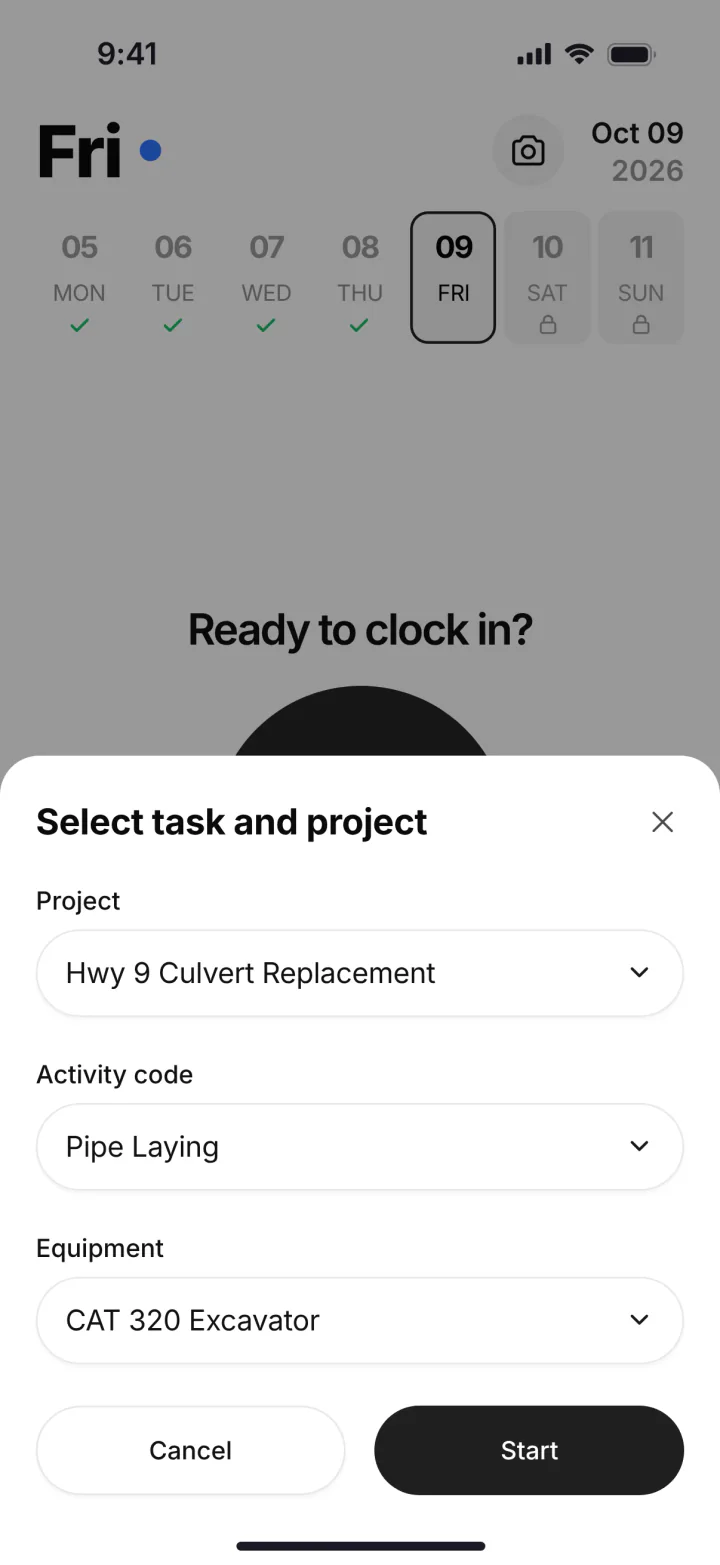
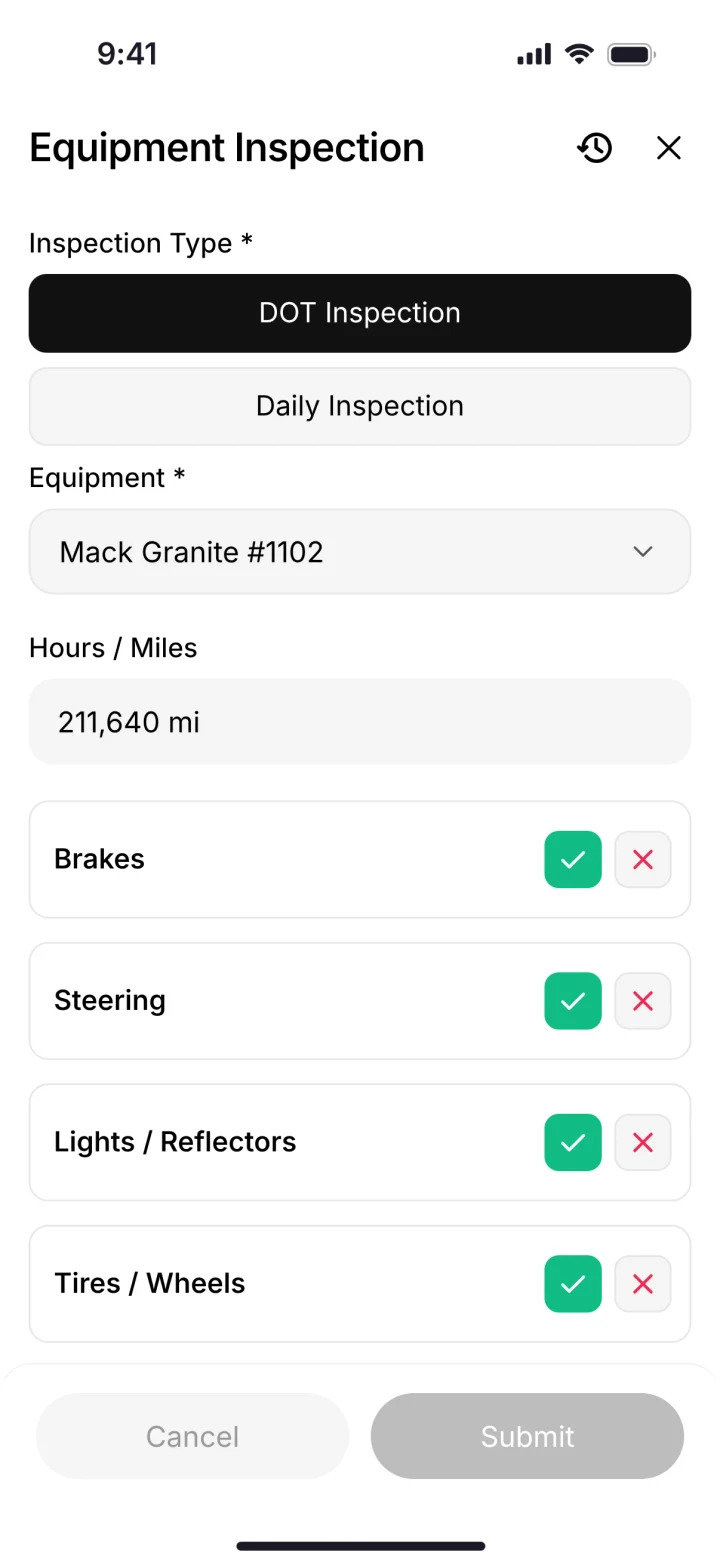
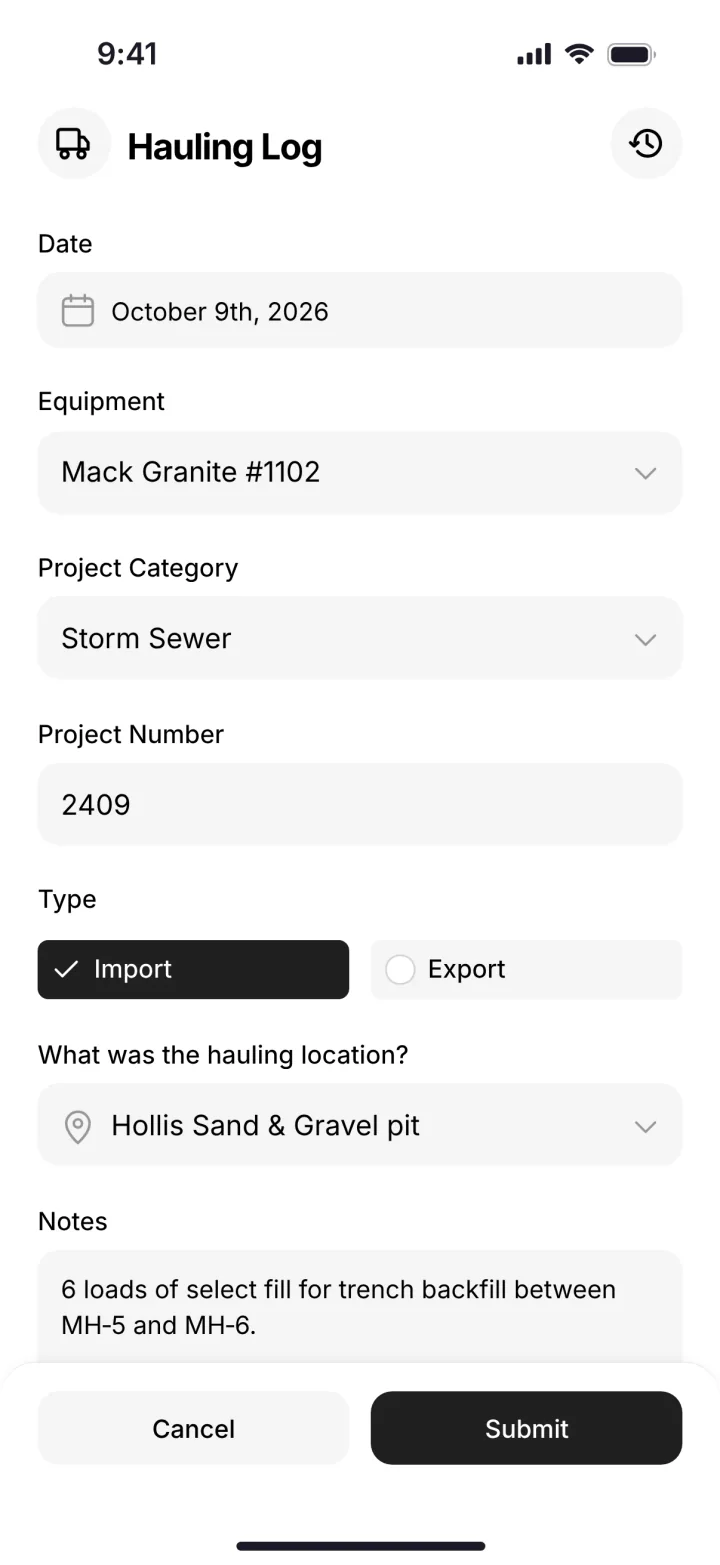
One phone app: the clock-in with job, activity and machine, the DOT inspection, and the haul log. (Demo account.)
In the office, the job page shows revenue, expenses and profit, with budget against spent for labor, materials, equipment and change orders. Problems reported from the field land in the shop queue with urgency and status. You know your profit every day, not after the dirt is gone.
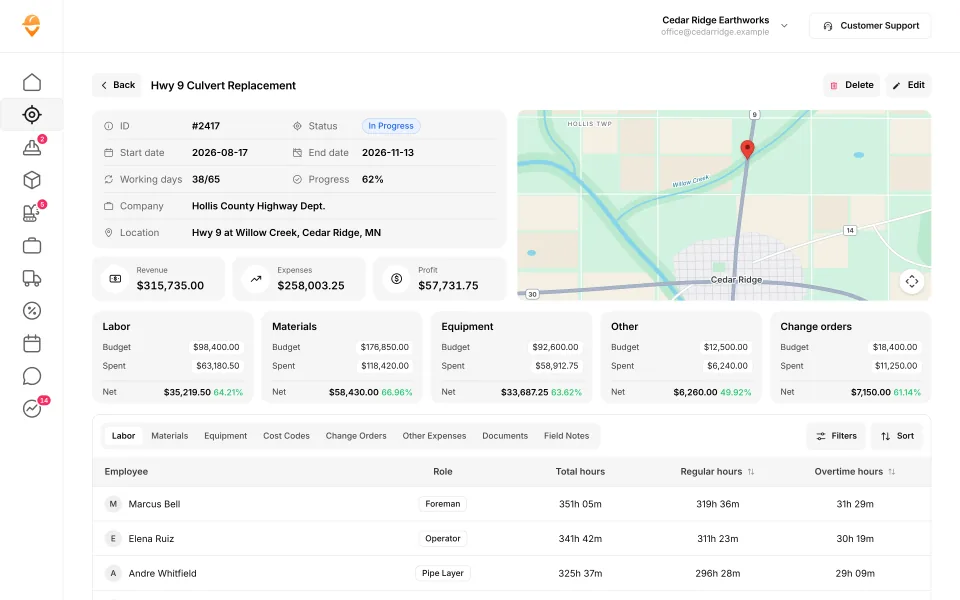
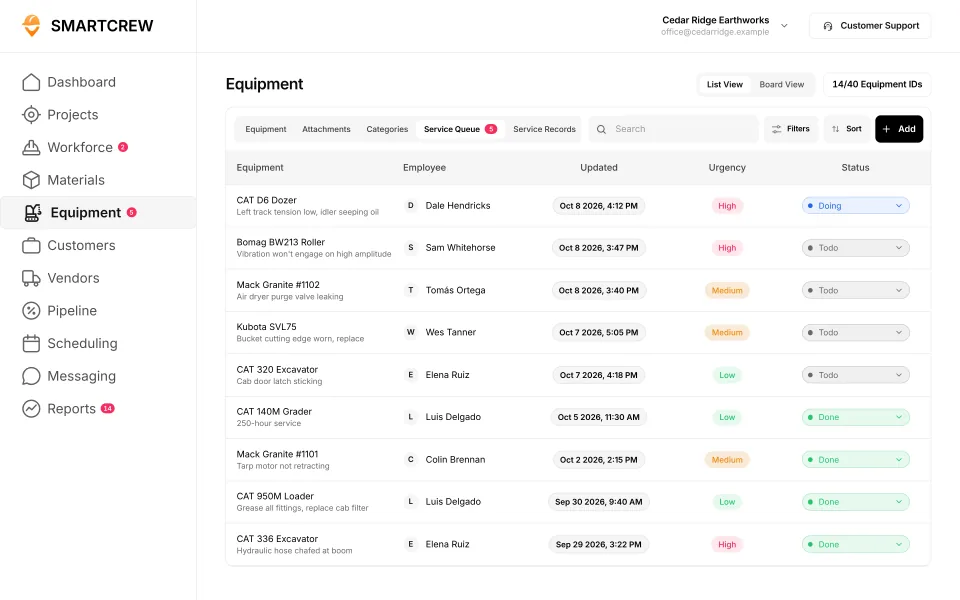
A job's budget against actual cost, and the shop queue fed by service requests from the field. (Demo data.)
How do you pick the right one?
Start with the afternoon that costs you the most money.
Name the headache
Timecards? Breakdowns? Lost haul tickets? Finding out a job lost money after it's done? Write down the top two.
Pick the group
Only hours: a time tracking app. Estimating or GC paperwork: enterprise software. Crews, iron, loads and job profit together: the middle.
Count who needs a login
Per-user prices, user caps and admin licenses change the math. Ask whether field guys count as paid users.
Ask about setup
Who moves your information over and trains the crew? With SmartCrew, we do the heavy lifting. Most companies are up and running within a few weeks.
Make your foreman try it
Our crews aren't tech savvy. And they don't need to be. If your foreman can't clock in and log a load without calling the office, keep looking.
What SmartCrew doesn't do
SmartCrew doesn't do estimating or takeoff, GPS machine control, telematics hardware, payroll processing or ELD hours of service. If one of those is what you're shopping for, start somewhere else. We send payroll-ready timecards and integrate with QuickBooks Online today; QuickBooks Desktop, Foundation, ADP and more are in the works.
Questions people ask
What is the best excavation contractor software for a small company?
For a dirtwork company with 5 to 100 employees that wants time, machines, haul tickets, daily reports and job profit in one app, SmartCrew is built for exactly that. If you only need hours, a time tracking app is simpler. If you mostly quote homeowners, look at Jobber or QuoteIQ.
Is HCSS worth it for a small excavation company?
HCSS is built for heavy civil contractors and is strong on estimating, fleet and telematics. It's quote only, its own page puts pricing at about $60 to $4,000+ per user per year, and it tells small companies to plan on up to about 90 days to get running.
What's the cheapest construction software with GPS time tracking?
BusyBusy has a free plan with GPS time tracking, according to its pricing page on October 26, 2026. Paid plans start at $11.99 per user per month billed monthly, plus a $40 admin license.
Is Procore good for excavation contractors?
Procore is built for owners, general contractors and specialty contractors on bigger projects, and it has a civil and infrastructure page. It's quote only, priced on annual construction volume. We couldn't find DOT inspections or haul tickets in its own docs.
Which excavation software tracks haul tickets?
SmartCrew has digital hauling tickets with truck, project, import or export, material, yards and source pit, and an AI reader that enters the data from a photo. We couldn't find a haul ticket feature on BusyBusy's, ClockShark's, ExakTime's, Raken's, JobTread's, Contractor Foreman's or Jobber's sites.
How much does SmartCrew cost?
Pricing depends on your company size and the features you need; it's built to be well below enterprise construction software. SmartCrew starts at $99/month. Contact us for team pricing.
Sources
- QuoteIQ pricing checked October 26, 2026
- Projul pricing checked October 28, 2026
- Knowify pricing checked October 28, 2026
- Knowify trade contractor software checked October 28, 2026
- Knowify excavation software checked October 28, 2026
- Foreman pricing checked October 28, 2026
- Foreman: who we serve checked October 28, 2026
- InSite Software home page (earthwork takeoff software) checked October 28, 2026
- AGTEK home page (construction estimating and takeoff software) checked October 28, 2026
- Projul excavation and grading checked October 28, 2026
- Projul daily logs checked October 28, 2026
- Contractor+ pricing checked October 28, 2026
- Contractor+ excavation software checked October 28, 2026
- Contractor+ blog: 8 best excavation software platforms in 2026 checked October 28, 2026
- BusyBusy pricing checked October 26, 2026
- BusyBusy modules checked October 22, 2026
- BusyBusy about us checked October 22, 2026
- BusyBusy integrations checked October 22, 2026
- ClockShark pricing checked October 26, 2026
- ClockShark about checked October 26, 2026
- ClockShark job costing checked October 22, 2026
- WorkMax pricing checked October 26, 2026
- WorkMax FAQs checked October 22, 2026
- WorkMax ASSETS checked October 22, 2026
- ExakTime (Arcoro Time) pricing checked October 26, 2026
- ExakTime (Arcoro Time) home page checked October 26, 2026
- ExakTime rugged time clocks checked October 26, 2026
- ExakTime equipment guide (help center) checked October 26, 2026
- QuickBooks Time pricing checked October 26, 2026
- QuickBooks Time GPS tracking checked October 22, 2026
- HCSS home page checked October 22, 2026
- HCSS LLM information page (pricing range, products) checked October 26, 2026
- HCSS for small business checked October 22, 2026
- Procore pricing checked October 26, 2026
- Procore civil and infrastructure checked October 22, 2026
- Procore company equipment tool checked October 22, 2026
- Raken request pricing checked October 26, 2026
- Raken time tracking features checked October 22, 2026
- Raken budgets checked October 22, 2026
- Raken on the US App Store checked October 22, 2026
- JobTread pricing checked October 26, 2026
- JobTread home page checked October 26, 2026
- JobTread features checked October 26, 2026
- Contractor Foreman pricing checked October 26, 2026
- Contractor Foreman home page checked October 26, 2026
- Jobber pricing checked October 26, 2026
- Werx excavation contractor software checked November 2, 2026
- SynkedUP sitework and excavation checked November 2, 2026
- QuoteIQ: Cord IQ is a mistranscription of QuoteIQ checked November 2, 2026
- Workyard: who it's for checked October 28, 2026
- Connecteam: who it's for checked October 28, 2026
- Jibble: who it's for checked October 28, 2026
- Rhumbix (Autodesk): who it's for checked October 28, 2026
- B2W (Trimble): who it's for checked October 28, 2026
- Assignar: who it's for checked October 28, 2026
- Trimble Viewpoint: who it's for checked October 28, 2026
- Buildertrend: who it's for checked October 28, 2026
- Fieldwire: who it's for checked October 28, 2026
- Foundation Software: who it's for checked October 28, 2026
- Tenna: who it's for checked October 28, 2026
- HCSS Equipment360: who it's for checked October 28, 2026
- Fleetio: who it's for checked October 28, 2026
- Clue: who it's for checked October 28, 2026
- AGTEK: who it's for checked October 28, 2026
- InSite Software: who it's for checked October 28, 2026
- HCSS HeavyBid: who it's for checked October 28, 2026
- Trimble Business Center: who it's for checked October 28, 2026
- EarthWorks: who it's for checked October 28, 2026
- Housecall Pro: who it's for checked October 28, 2026
- ServiceTitan: who it's for checked October 28, 2026
- Workyard pricing checked October 28, 2026
- Connecteam pricing checked October 28, 2026
- B2W (Trimble) pricing checked October 28, 2026
- Assignar pricing checked October 28, 2026
- Buildertrend pricing checked October 28, 2026
- Fieldwire pricing checked October 28, 2026
- Foundation Software pricing checked October 28, 2026
- Tenna pricing checked October 28, 2026
- HCSS Equipment360 pricing checked October 28, 2026
- Fleetio pricing checked October 28, 2026
- Clue pricing checked October 28, 2026
- AGTEK pricing checked October 28, 2026
- InSite Software pricing checked October 28, 2026
- Trimble Business Center pricing checked October 28, 2026
- EarthWorks pricing checked October 28, 2026
- ServiceTitan pricing checked October 28, 2026