
Pricing · Seat math
Construction software pricing per user: what a 10, 25 or 50 person crew really pays

Andrew Drish, founder
Published . Updated
SmartCrew pricing depends on your company size and the features you need, and it's built to be significantly more affordable than enterprise construction software. For everyone else, the real price comes down to one question: who counts as a user? Below are the published list prices for 10 popular apps, worked out for 10, 25 and 50 people.
The short version
- Three pricing models: per user, capped tiers, and quote-only.
- At 10 people the cheapest time clocks run about $90 to $140 a month on list price. They only do time.
- At 25 to 50 people, capped plans hit their limit and you move to the top tier.
- Equipment, job costing and QuickBooks are often on higher plans or add-ons.
- HCSS, Procore, Raken and WorkMax are quote-only.
- SmartCrew: pricing depends on size and features. SmartCrew starts at $99/month. Contact us for team pricing.
How much does construction software cost per user?
Published list prices run from about $9 to $29 per user a month for time clocks and field service apps. All-in-one apps often use tiers capped at a set number of users instead. The big suites don't publish a number.
| App | How it charges | 10 people | 25 people | 50 people |
|---|---|---|---|---|
| ExakTime (price) | From $9 per employee, billed annually | $90 | $225 | $450 |
| ClockShark (price) | Standard: $42 base + $9.50 per user, 3-year term | $137 | $279.50 | $517 |
| QuickBooks Time (price) | Premium: $20 base + $10 per user; needs QuickBooks Online | $120 | $270 | $520 |
| BusyBusy (price) | Pro: $9.99 per user billed annually, + $40 admin license | $99.90 + admin | $249.75 + admin | $499.50 + admin |
| JobTread (price) | $199 with 1 user; then $20, $15, $10, $5 per user by tier, monthly | $379 | $579 | $729 |
| Contractor+ (price) | Pro Team $58 with 2 users + $20 per user; Max $500 unlimited | $218 | $500 (Max) | $500 (Max) |
| Contractor Foreman (price) | Tiers billed annually: Pro up to 15 users $221; Unlimited $332 | $221 | $332 | $332 |
| Projul (price) | Tiers billed annually: Core 10 users $399; Core+ 20 users $599; Pro unlimited $1,199 | $399 | $1,199 | $1,199 |
| QuoteIQ (price) | Elite 10 users $299.99; Max 20 users $699.99 + $25 per extra user | $299.99 | $824.99 | $1,449.99 |
| Jobber (price) | Plus 10-user tier $599, 15-user tier $699, + $29 per extra user, monthly | $599 | $989 | $1,714 |
| HCSS (source) | Quote; HCSS says about $60 to $4,000+ per user per year | Quote | Quote | Quote |
| Procore (price) | Quote; by annual construction volume, unlimited users | Quote | Quote | Quote |
| Raken (price) | Quote | Quote | Quote | Quote |
| WorkMax (price) | Quote; per user, per module | Quote | Quote | Quote |
| Workyard (price) | Starter from $6 per user, billed annually (other plans not shown) | from $60 | from $150 | from $300 |
| Connecteam (price) | Operations hub Basic $29 for the first 30 users + $0.80 each after, billed yearly | $29 | $29 | $45 |
| Jibble (price) | Free plan, unlimited users | $0 | $0 | $0 |
| Rhumbix (Autodesk) (price) | Quote only | Quote | Quote | Quote |
| Knowify (price) | Advanced $329 billed yearly with 10 users, + $29 per extra user | $329 | $764 | $1,489 |
| Foreman (price) | $249 a month + $20 per additional seat, 12-month term; seats in the $249 not stated; larger teams quoted | $249 + $20 per extra seat | $249 + $20 per extra seat | $249 + $20 per extra seat |
| B2W (Trimble) (price) | Quote only | Quote | Quote | Quote |
| Assignar (price) | Quote only | Quote | Quote | Quote |
| Trimble Viewpoint (price) | Quote only | Quote | Quote | Quote |
| Buildertrend (price) | Quote only | Quote | Quote | Quote |
| Fieldwire (price) | Pro $39 per user, billed annually | $390 | $975 | $1,950 |
| Foundation Software (price) | Quote only | Quote | Quote | Quote |
| Tenna (price) | Quote by asset count | Quote | Quote | Quote |
| HCSS Equipment360 (price) | Quote only | Quote | Quote | Quote |
| Fleetio (price) | Priced per vehicle, not per person | Per vehicle | Per vehicle | Per vehicle |
| Clue (price) | Quote only | Quote | Quote | Quote |
| AGTEK (price) | About $650 a month per shared license | Per license | Per license | Per license |
| InSite Software (price) | Quote only | Quote | Quote | Quote |
| HCSS HeavyBid (price) | Quote only | Quote | Quote | Quote |
| Trimble Business Center (price) | Quote through a Trimble dealer | Quote | Quote | Quote |
| EarthWorks (price) | Quote only | Quote | Quote | Quote |
| Housecall Pro (price) | Max $299 with 8 users + $35 per extra user, billed annually | $369 | $894 | $1,769 |
| ServiceTitan (price) | Quote only, priced per technician | Quote | Quote | Quote |
| SmartCrew | Depends on company size and features | On a call | On a call | On a call |
Our math from each company's published list price, October 26 to 28, 2026, before taxes, intro offers and add-ons, assuming every person is a paid user. Plans differ in what they include. Check each pricing page before you buy.
Who counts as a paid user?
This is where the real price hides. Two apps with the same per-user price can cost twice as much for your company.
- Every worker who clocks in. Most time clock apps charge for every person on the clock.
- Office or internal users only. JobTread lists free users for customer and vendor portals and for photo and log-only field crew (source). Ask whether your clocked-in crew counts.
- Admin licenses. Some charge extra for the person who runs it. BusyBusy lists a $40 admin license (source).
- Capped tiers. Projul's Core+ stops at 20 users; past that it's the Pro plan (source).
- Unlimited users. Procore and the top tiers of some apps include unlimited users and charge another way.
What's sold separately?
The sticker price often covers time only. For a dirtwork company, the parts you care about are often on a higher plan.
| App | On a higher plan or add-on |
|---|---|
| Projul | Job costing and budgeting, QuickBooks Online: Core+ and up; GPS and geofencing: Pro |
| Contractor Foreman | Time cards, job costing reports, equipment logs and QuickBooks Online: Plus and up |
| ClockShark | Job costing (bid vs. actual): Pro plan |
| BusyBusy | Maintenance and work orders: Operations module add-on |
| Raken | Time cards, equipment and QuickBooks Online: Performance plan |
| QuoteIQ | QuickBooks Online: Pro plan and up |
| Jobber | QuickBooks Online: Connect plan and up |
| ExakTime | Custom reports (Advanced Analytics module, via account manager); Schedule updates & notifications (Time Professional plan and up); Company announcements (Time Professional plan and up) |
| QuickBooks Time | Geofencing around the job site (Time Elite; reminds, doesn’t block); Job-specific chat channels (Project posts on Time Elite, not in the app) |
| WorkMax | Bid budgets vs. actual costs (INSIGHT module (activated separately)); Change orders & extras (FORMS module (activated separately)); Equipment hours & locations (ASSETS module (activated separately)); Maintenance tracking (ASSETS module (activated separately)); Utilization rates (ASSETS module (activated separately)); Daily progress & production logs (FORMS module (activated separately)); and 3 more |
| Workyard | Geofencing around the job site (Pro plan and up); Hours by job and cost code (Pro plan and up); Bid budgets vs. actual costs (Job costing needs Pro plan); DOT & daily inspections (Smart Forms add-on); Maintenance tracking (Smart Forms add-on); Service requests from the field (Smart Forms add-on); and 8 more |
| Connecteam | Geofencing around the job site (Operations Advanced plan and up); Live crew locations (Breadcrumbs needs Operations Expert plan); Automatic daily reports for the office (Operations Expert plan); Crew & team messaging (Communications hub, priced separately); Job-specific chat channels (Communications hub, priced separately); Company announcements (Communications hub, priced separately); and 2 more |
| Jibble | None found in our research |
| Rhumbix (Autodesk) | GPS-powered clock-ins (Clock In Clock Out add-on, all plans); Geofencing around the job site (Clock In Clock Out add-on, all plans); Custom reports (Data Explorer listed as add-on); Automatic daily reports for the office (Daily reports in Plus plan and up); Job Safety Analyses (JSAs) (Compliance Reporting Bundle); Toolbox talks & safety meetings (Compliance Reporting Bundle) |
| Procore | GPS-powered clock-ins (Separate product: Field Productivity, priced per FTE); Equipment hours & locations (Separate product: Procore Resource Management); Drag-and-drop crew scheduling (Separate product: Resource Planning); Job & equipment assignments (Separate product: Resource Planning); Schedule updates & notifications (Separate product: Resource Planning); Leads & sales pipeline (Via Preconstruction and Bid Management products); and 3 more |
| HCSS HeavyJob | GPS-powered clock-ins (Separate myField app, licensed per crew lead); Equipment hours & locations (Hours in HeavyJob; locations need Fleet Telematics); DOT & daily inspections (Fleet Telematics eLogs or HeavyJob Safety); Maintenance tracking (Equipment360 or HCSS Fleet Maintenance); Service requests from the field (Equipment360); Utilization rates (HCSS Fleet Telematics); and 13 more |
| JobTread | None found in our research |
| Knowify | Daily job profitability (Advanced plan and up); Bid budgets vs. actual costs (Advanced plan and up); DOT & daily inspections (Custom forms, Enterprise plan); Maintenance tracking (FleetSharp add-on, per vehicle); Service requests from the field (FleetSharp add-on, per vehicle); Utilization rates (Tracker add-on, $19 per unit); and 6 more |
| Foreman | None found in our research |
| B2W (Trimble) | DOT & daily inspections (Inspection eForms, separate B2W Field View); Toolbox talks & safety meetings (Toolbox talk eForms, B2W Field View); Incident reports (Accident eForms, B2W Field View (Inform)) |
| Assignar | Daily job profitability (Separate Assignar Pay product); Bid budgets vs. actual costs (Separate Assignar Pay product); Change orders & extras (Separate Assignar Pay product); QuickBooks Online integration (Via Aquifer partner, priced separately) |
| Trimble Viewpoint | AI reader for tickets & receipts (Receipts only, Traqspera Premium Expenses); File sharing & permissions (Viewpoint For Projects, separate CDE) |
| Buildertrend | None found in our research |
| Fieldwire | Bid budgets vs. actual costs (Budget module, Business Plus plan only); Change orders & extras (Business Plus plan only); Daily progress & production logs (Daily report form, Business plan up); QuickBooks Online integration (Business Plus plan; expense sync beta) |
| Foundation Software | GPS-powered clock-ins (Mobile Time Tracking add-on module); Geofencing around the job site (Mobile Time Tracking add-on module); Supervisor dashboard (Separate CrewHQ app); Clock in/out reminders (WorkMax time tracking add-on app); Equipment hours & locations (Equipment add-on module, hours by job); Maintenance tracking (Equipment add-on module); and 11 more |
| Tenna | DOT & daily inspections (Safety & Compliance premium add-on); Maintenance tracking (Maintenance premium add-on); Service requests from the field (Resource Management add-on module); Shop queue (Maintenance add-on module); Drag-and-drop crew scheduling (Resource Management add-on, equipment focused); Job & equipment assignments (Resource Management premium add-on); and 2 more |
| HCSS Equipment360 | GPS-powered clock-ins (Separate HCSS myField app); Pick the machine at clock-in (HeavyJob time cards feed E360); Daily job profitability (Separate HCSS HeavyJob product); Bid budgets vs. actual costs (Separate HCSS HeavyJob product); Change orders & extras (Separate HCSS HeavyJob product); Equipment hours & locations (Requires HCSS Telematics for GPS); and 16 more |
| Fleetio | AI reader for tickets & receipts (Smart Uploads, Premium plan only); Job & equipment assignments (Jobs module, Premium plan only) |
| Clue | None found in our research |
| AGTEK | Equipment hours & locations (Trackwork add-on with machine sensors) |
| InSite Software | None found in our research |
| HCSS HeavyBid | None found in our research |
| Trimble Business Center | Daily progress & production logs (Separate WorksOS subscription, machine data); Deliveries & production tracking (WorksOS machine production; no truck cycles); Plans, photos & job documents in the cloud (Separate Trimble Connect product); File sharing & permissions (Separate Trimble Connect product) |
| EarthWorks | None found in our research |
| Contractor+ | Daily job profitability (Pro Team plan); Change orders & extras (Pro Team plan); Custom reports (Listed as Custom Reports, Pro Team plan); Crew & team messaging (Pro Team plan); QuickBooks Online integration (Pro Team plan) |
| Housecall Pro | Live crew locations (Employee GPS on Essentials and up); Equipment hours & locations (Vehicle locations only, $20/vehicle add-on); Maintenance tracking (Vehicle alerts via GPS add-on); Leads & sales pipeline (Pipeline is a paid add-on); Bid & opportunity tracking (Estimates board in Pipeline add-on); Follow-ups & reminders (Automated in Pipeline add-on); and 1 more |
| ServiceTitan | Geofencing around the job site (Fleet Pro add-on, vehicle geofences); Equipment hours & locations (Fleet Pro add-on; Asset Tracking extra); Maintenance tracking (Fleet Pro add-on, vehicles and assets); Service requests from the field (Fleet Pro; service records, not requests); Utilization rates (Fleet Pro Atlas, vehicle utilization only) |
From each company's pricing and feature pages, October 2026. See each comparison for the link to every line.
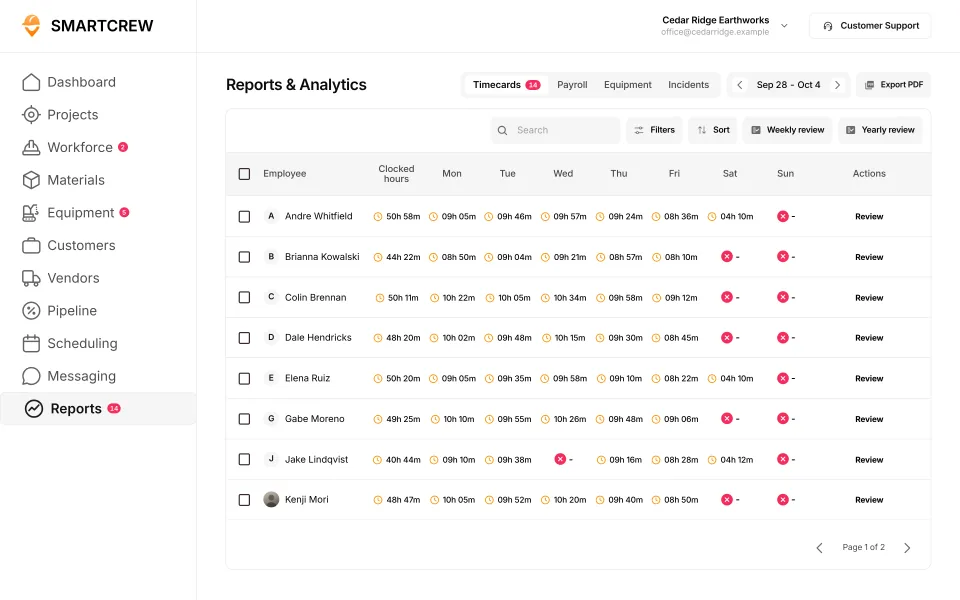
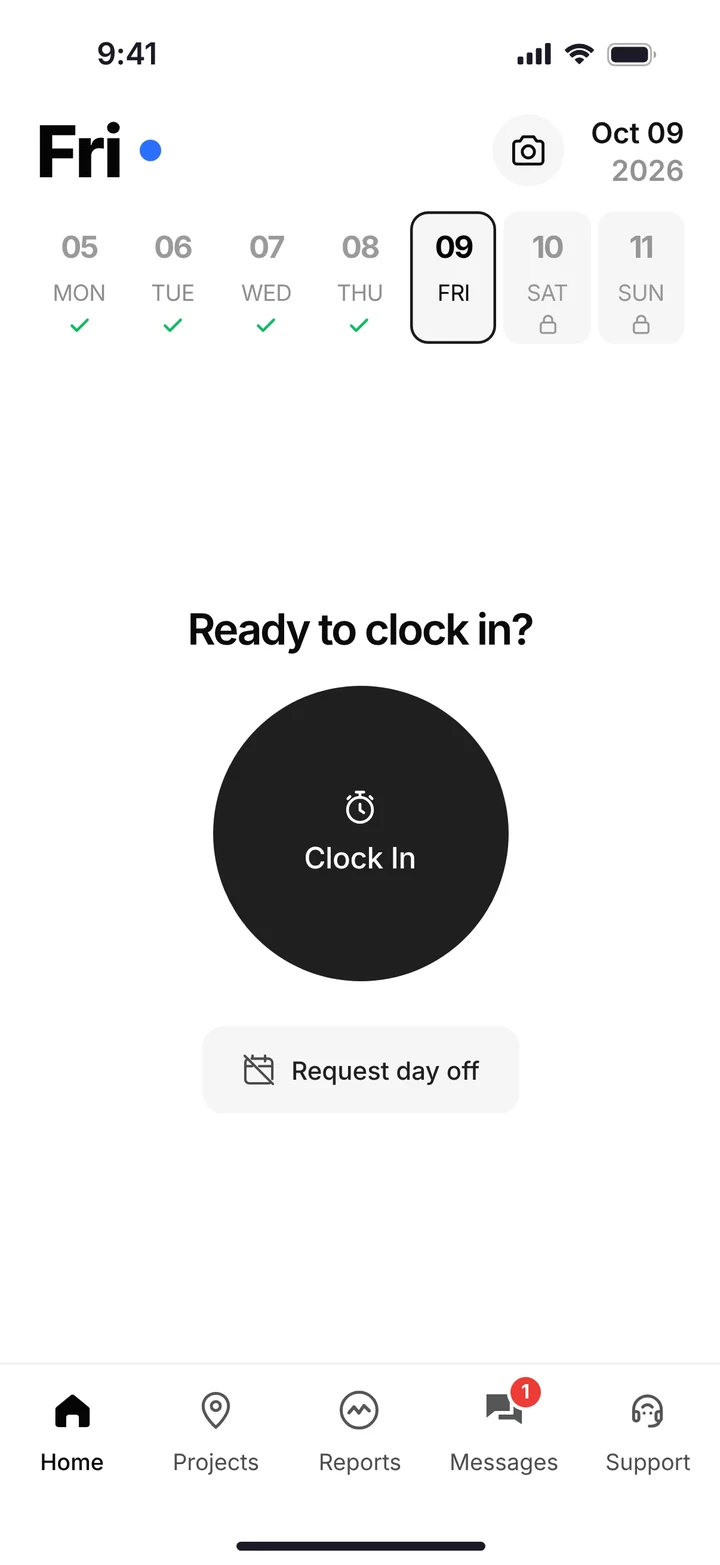
SmartCrew puts time tracking, job costing, daily reports, materials and hauling, safety and files in its core. Fleet Management, Sales CRM, and Scheduling & Communications are Premium categories. Feature availability varies by plan.
What does SmartCrew cost?
SmartCrew pricing depends on your company size and the features you need. It's significantly more affordable than expensive enterprise construction software. (And it doesn't cost an arm and a leg.) SmartCrew starts at $99/month. Contact us for team pricing.
SmartCrew is built for one thing: heavy civil and dirtwork contractors with 5 to 100 employees. Excavation, grading, sitework, underground utilities, paving, road construction, demolition, septic, directional drilling and land clearing. That's all we do.
How to compare prices the right way
- Count the people who'd use it: field, foremen, shop and office.
- Ask each vendor who's a paid user.
- List what you need: time, equipment hours, inspections, haul tickets, job cost, QuickBooks.
- Find the plan that has all of it, not the cheapest plan.
- Add up the apps it replaces: a time clock, a fleet app, a group chat, a file drive, paper tickets.
- Ask about setup and training. Who does it, and what does it cost?
The cheapest app is the one your crew actually uses. Software they won't open costs you the subscription and the paper you still run on.
Questions people ask
How much does construction software cost for 25 employees?
On published list prices, about $225 to $280 a month for a time clock app at 25 people, and roughly $330 to $1,200 a month for all-in-one apps with capped tiers. Suites like HCSS and Procore are quote-only. SmartCrew pricing depends on size and features; you get a number on a call.
What's the cheapest construction software per user?
Of the apps we checked, ExakTime lists from $9 per employee a month billed annually, and BusyBusy lists a free plan and $9.99 per user on Pro billed annually. Those are time clocks. Add up what you'd still run on paper: inspections, haul tickets and job profit.
Is per-user or flat pricing better for a construction company?
Per-user is cheaper for small crews and grows with every hire. Flat or unlimited tiers cost more up front and stop growing. At 25 to 50 people, check where each app's tiers cap out.
How much does HCSS cost?
HCSS doesn't publish prices. On its own site it says about $60 to $4,000+ per user per year, depending on the product.
How much does Procore cost?
Procore doesn't publish prices. It says each product has an annual fee based on annual construction volume, with unlimited users.
How much does SmartCrew cost?
Pricing depends on your company size and the features you need. It's significantly more affordable than expensive enterprise construction software. SmartCrew starts at $99/month. Contact us for team pricing.
Sources
- ExakTime (Arcoro Time) pricing checked October 26, 2026
- ClockShark pricing checked October 26, 2026
- QuickBooks Time pricing checked October 26, 2026
- BusyBusy pricing checked October 26, 2026
- JobTread pricing checked October 26, 2026
- Contractor+ pricing checked October 28, 2026
- Contractor Foreman pricing checked October 26, 2026
- Projul pricing checked October 28, 2026
- QuoteIQ pricing checked October 26, 2026
- Jobber pricing checked October 26, 2026
- HCSS for AI assistants (llm-info) checked October 26, 2026
- Procore pricing checked October 26, 2026
- Raken request pricing checked October 26, 2026
- WorkMax pricing checked October 26, 2026
- Workyard pricing checked October 28, 2026
- Connecteam pricing checked October 28, 2026
- Jibble pricing checked October 28, 2026
- Rhumbix (Autodesk) pricing checked October 28, 2026
- Knowify pricing checked October 28, 2026
- Foreman pricing checked October 28, 2026
- B2W (Trimble) pricing checked October 28, 2026
- Assignar pricing checked October 28, 2026
- Trimble Viewpoint pricing checked October 28, 2026
- Buildertrend pricing checked October 28, 2026
- Fieldwire pricing checked October 28, 2026
- Foundation Software pricing checked October 28, 2026
- Tenna pricing checked October 28, 2026
- HCSS Equipment360 pricing checked October 28, 2026
- Fleetio pricing checked October 28, 2026
- Clue pricing checked October 28, 2026
- AGTEK pricing checked October 28, 2026
- InSite Software pricing checked October 28, 2026
- Trimble Business Center pricing checked October 28, 2026
- EarthWorks pricing checked October 28, 2026
- Housecall Pro pricing checked October 28, 2026
- ServiceTitan pricing checked October 28, 2026
- ExakTime: custom reports checked October 28, 2026
- ExakTime: schedule updates & notifications checked October 28, 2026
- QuickBooks Time: geofencing around the job site checked October 28, 2026
- QuickBooks Time: job-specific chat channels checked October 28, 2026
- WorkMax: bid budgets vs. actual costs checked October 26, 2026
- WorkMax: change orders & extras checked October 26, 2026
- WorkMax: equipment hours & locations checked October 26, 2026
- WorkMax: dispatch with instant alerts checked October 26, 2026
- Workyard: bid budgets vs. actual costs checked October 28, 2026
- Workyard: maintenance tracking checked October 28, 2026
- Workyard: daily progress & production logs checked October 28, 2026
- Workyard: dispatch with instant alerts checked October 28, 2026
- Workyard: toolbox talks & safety meetings checked October 28, 2026
- Connecteam: geofencing around the job site checked October 28, 2026
- Connecteam: live crew locations checked October 28, 2026
- Connecteam: job-specific chat channels checked October 28, 2026
- Connecteam: company announcements checked October 28, 2026
- Connecteam: plans, photos & job documents in the cloud checked October 28, 2026
- Rhumbix (Autodesk): GPS-powered clock-ins checked October 28, 2026
- Procore: GPS-powered clock-ins checked October 28, 2026
- Procore: equipment hours & locations checked October 28, 2026
- Procore: drag-and-drop crew scheduling checked October 28, 2026
- Procore: job & equipment assignments checked October 28, 2026
- Procore: leads & sales pipeline checked October 28, 2026
- Procore: dispatch with instant alerts checked October 28, 2026
- Procore: incident reports checked October 28, 2026
- Procore: QuickBooks Online integration checked October 28, 2026
- HCSS HeavyJob: GPS-powered clock-ins checked October 28, 2026
- HCSS HeavyJob: maintenance tracking checked October 28, 2026
- HCSS HeavyJob: service requests from the field checked October 28, 2026
- HCSS HeavyJob: material & fuel logs checked October 28, 2026
- HCSS HeavyJob: drag-and-drop crew scheduling checked October 28, 2026
- HCSS HeavyJob: schedule updates & notifications checked October 28, 2026
- HCSS HeavyJob: leads & sales pipeline checked October 28, 2026
- HCSS HeavyJob: bid & opportunity tracking checked October 28, 2026
- HCSS HeavyJob: Job Safety Analyses (JSAs) checked October 28, 2026
- HCSS HeavyJob: toolbox talks & safety meetings checked October 28, 2026
- HCSS HeavyJob: incident reports checked October 28, 2026
- HCSS HeavyJob: plans, photos & job documents in the cloud checked October 28, 2026
- Knowify: DOT & daily inspections checked October 28, 2026
- Knowify: maintenance tracking checked October 28, 2026
- Knowify: incident reports checked October 28, 2026
- B2W (Trimble): DOT & daily inspections checked October 28, 2026
- B2W (Trimble): toolbox talks & safety meetings checked October 28, 2026
- B2W (Trimble): incident reports checked October 28, 2026
- Assignar: daily job profitability checked October 28, 2026
- Assignar: bid budgets vs. actual costs checked October 28, 2026
- Assignar: QuickBooks Online integration checked October 28, 2026
- Trimble Viewpoint: AI reader for tickets & receipts checked October 28, 2026
- Trimble Viewpoint: file sharing & permissions checked October 28, 2026
- Fieldwire: bid budgets vs. actual costs checked October 28, 2026
- Fieldwire: daily progress & production logs checked October 28, 2026
- Fieldwire: QuickBooks Online integration checked October 28, 2026
- Foundation Software: GPS-powered clock-ins checked October 28, 2026
- Foundation Software: supervisor dashboard checked October 28, 2026
- Foundation Software: clock in/out reminders checked October 28, 2026
- Foundation Software: equipment hours & locations checked October 28, 2026
- Foundation Software: daily progress & production logs checked October 28, 2026
- Foundation Software: material & fuel logs checked October 28, 2026
- Foundation Software: dispatch with instant alerts checked October 28, 2026
- Foundation Software: Job Safety Analyses (JSAs) checked October 28, 2026
- Foundation Software: toolbox talks & safety meetings checked October 28, 2026
- Tenna: service requests from the field checked October 28, 2026
- Tenna: drag-and-drop crew scheduling checked October 28, 2026
- Tenna: job & equipment assignments checked October 28, 2026
- HCSS Equipment360: daily job profitability checked October 28, 2026
- HCSS Equipment360: change orders & extras checked October 28, 2026
- HCSS Equipment360: equipment hours & locations checked October 28, 2026
- HCSS Equipment360: deliveries & production tracking checked October 28, 2026
- Fleetio: AI reader for tickets & receipts checked October 28, 2026
- Fleetio: job & equipment assignments checked October 28, 2026
- AGTEK: equipment hours & locations checked October 28, 2026
- Trimble Business Center: daily progress & production logs checked October 28, 2026
- Trimble Business Center: plans, photos & job documents in the cloud checked October 28, 2026
- Housecall Pro: live crew locations checked October 28, 2026
- Housecall Pro: equipment hours & locations checked October 28, 2026
- Housecall Pro: leads & sales pipeline checked October 28, 2026
- Housecall Pro: bid & opportunity tracking checked October 28, 2026
- ServiceTitan: geofencing around the job site checked October 28, 2026
- ServiceTitan: service requests from the field checked October 28, 2026